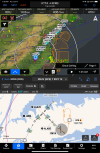
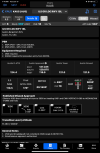
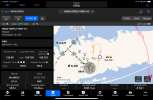
Pretty cool update to Garmin Pilot

Uh, I do. But plates don’t show on a GTN650 and since I use them to brief the approach, it’s just easier to leave the EFB on the approach plate in full screen mode.
c50802a5136014ad47ec29d1d9748c7b.jpg


As for actually using the EFB to depict a hold, for published holds, I just refer to the applicable IFR Low chart for a published or draw it on the chart for a random.

The hold gets loaded into the GTN for actual nav guidance; the EFB depiction exists simply as a cross check.
Yeah, that's what I do, I just don't try and and fly my airplane on the approach plate.
 
, but could not figure out how to load the procedure turn or missed approach hold in a way that would facilitate flying them by reference to the HSI.
This might help for an explanation. When flying a procedure turn (or a missed approach hold) with certified equipment, the HSI course pointer is always on the inbound course. So it you are looking for the HSI course needle to, for example, "point" a teardrop entry, it won't.
 
This might help for an explanation. When flying a procedure turn (or a missed approach hold) with certified equipment, the HSI course pointer is always on the inbound course. So it you are looking for the HSI course needle to, for example, "point" a teardrop entry, it won't.

No, just trying to get the EFB to display the inbound course on the HSI. It sorta works on some procedure turns since the inbound course is aligned with the next fix once you fly over the IAF. You just don't get a distance.

For missed approach holds, I can't figure out how to trick the EFB into displaying an inbound course on the HSI on the fly. I guess I could do the entry, get lined up inbound, then reset the course direct to the holding fix?
 
So is this new plate feature the SmartCharts that are only available in the Premium Plan? I ask because my FF subscription is coming up and I kind of like the looks of this, enough to perhaps try GP. I am still dragging my feet replacing my iPad Mini 4 as well.
 
So is this new plate feature the SmartCharts that are only available in the Premium Plan? I ask because my FF subscription is coming up and I kind of like the looks of this, enough to perhaps try GP. I am still dragging my feet replacing my iPad Mini 4 as well.
Yes, only premium. Basically premium = IFR. Premium is free if you are buying database packages from Garmin (pilotpak, onepak).
 
Yes, only premium. Basically premium = IFR. Premium is free if you are buying database packages from Garmin (pilotpak, onepak).

That would be nice, but my IFR flying is rather limited these days and usually in other people's airplanes. My airplane is VFR only.
 
So what would you use smart charts for? Not trying to be a wise a$$, just trying to understand. Basic GP, (so no smart charts) is about $100. You can try it free for I think 30 days?
 
So is this new plate feature the SmartCharts that are only available in the Premium Plan? I ask because my FF subscription is coming up and I kind of like the looks of this, enough to perhaps try GP.
Yes, SmartCharts are part of the Premium Plan. But if you sign up for the Basic Plan, Garmin is currently giving a one month upgrade to the Premium Plan. Or, if you have a OnePak DB subscription for whatever devices you have in your plane, you also get the Premium Upgrade for free. (Needs to be a OnePak subscription, not a subscription for a single device.)
 
So what would you use smart charts for? Not trying to be a wise a$$, just trying to understand. Basic GP, (so no smart charts) is about $100. You can try it free for I think 30 days?

Just figuring that out. The primary reason I even have/had FF is because I used to do a little contract work with a 135 operator that required it. These days I don't do much IFR, but do like to stay current to be able.
 
So what would you use smart charts for? Not trying to be a wise a$$, just trying to understand. Basic GP, (so no smart charts) is about $100. You can try it free for I think 30 days?

Smart Charts are Garmin’s geo-referenced digital AP format that presents user-selectable information to present only what’s needed while decluttering that which isn’t. In addition to the plan view being geo referenced, the vertical profile is, too.

It’s really, really brilliant.
 
Has anyone tried SmartCharts on an iPad mini? I’m curious if the layout is the same as what’s in my wife’s iPad or is it the same is what’s on my iPhone.

My current EFB subscription is good thru May 2026, so I’m not going to switch now, but I’m trying to decide now which iPad version when it comes time.

I currently run iFly on a Samsung S6 Lite that’s about a 10” tablet and is small as I’d really want to go (I think).

ETA: it doesn’t appear the iPhone will do landscape or split screen mode and split screen is one if the few other features I’d want to have. To be clear, I want to be able to use both the map view and, for example, Scratch Pad, simultaneously.

Also, is there a way to mark up the map with a stylus/apple pencil? I haven’t figured out how to do that (if it’s possible).
 
Last edited:
Has anyone tried SmartCharts on an iPad mini? I’m curious if the layout is the same as what’s in my wife’s iPad or is it the same is what’s on my iPhone.

My current EFB subscription is good thru May 2026, so I’m not going to switch now, but I’m trying to decide now which iPad version when it comes time.

I currently run iFly on a Samsung S6 Lite that’s about a 10” tablet and is small as I’d really want to go (I think).

ETA: it doesn’t appear the iPhone will do landscape or split screen mode and split screen is one if the few other features I’d want to have. To be clear, I want to be able to use both the map view and, for example, Scratch Pad, simultaneously.

Also, is there a way to mark up the map with a stylus/apple pencil? I haven’t figured out how to do that (if it’s possible).
Yes mine is on a mini. Want a screenshot or something?
 
So both my quoting skills and reading comprehension were lacking. The "why smart charts" was a result of "my airplane is VFR only". I missed
"IFR is rather limited"

Glad that three people explained the purpose of smart charts to the guy that started the thread. :).

That would be nice, but my IFR flying is rather limited these days and usually in other people's airplanes. My airplane is VFR only.
So what would you use smart charts for? Not trying to be a wise a$$, just trying to understand. Basic GP, (so no smart charts) is about $100. You can try it free for I think 30 days?
 
Has anyone tried SmartCharts on an iPad mini? I’m curious if the layout is the same as what’s in my wife’s iPad or is it the same is what’s on my iPhone.
I’m in a Mini. If it’s like everything else, just like in any tablet as opposed to phone.
My current EFB subscription is good thru May 2026, so I’m not going to switch now, but I’m trying to decide now which iPad version when it comes time.

I currently run iFly on a Samsung S6 Lite that’s about a 10” tablet and is small as I’d really want to go (I think).

ETA: it doesn’t appear the iPhone will do landscape or split screen mode and split screen is one if the few other features I’d want to have. To be clear, I want to be able to use both the map view and, for example, Scratch Pad, simultaneously.
You can use Map and Scratch Pad in split screen on a Mini. But SmartCharts does not split screen with the Scratch Pad. At this point, SmartCharts can only be in its own or as the secondary window for split screen on the Map page.

Also, is there a way to mark up the map with a stylus/apple pencil? I haven’t figured out how to do that (if it’s possible).
The Map, yes. A SmartChart, no. Writing on the SmartCharts is one of the top three wish list items I’ve seen for them.

Photo is Map split screened with SmartCharts on a Mini in portrait orientation.

1750159951982.png
 
No, just trying to get the EFB to display the inbound course on the HSI. It sorta works on some procedure turns since the inbound course is aligned with the next fix once you fly over the IAF. You just don't get a distance.

For missed approach holds, I can't figure out how to trick the EFB into displaying an inbound course on the HSI on the fly. I guess I could do the entry, get lined up inbound, then reset the course direct to the holding fix?
Why not just fly the hsi on the efb?
 
I would love to get a breakdown comparison of ForeFlight and this Garmin pilot from a neutral source who is very knowledgeable that was not getting paid by Boeing or Garmin. The people with legit YouTube channels seem to go where the money is, and if they can sell a sponsorship that mandates that they have certain opinions, I think I’ve seen someone who was previously sponsored by ForeFlight now sponsored by Garmin who’s all a glow flying with the Garmin?

I’m attracted to the new features with the simplified instrument charting and the depictions showing one flying a glide path, but I’m not sure that alone is worth switching formats. Is there more to it than that? Did it really take Garmin 10 years to come up with a comparable product? It seems like the prices are quite similar in the end. I’m also not seeing a clear reason to have all Garmin products with this incorporated compared to ForeFlight.

Any thoughts on this?
 
I would love to get a breakdown comparison of ForeFlight and this Garmin pilot from a neutral source who is very knowledgeable that was not getting paid by Boeing or Garmin. The people with legit YouTube channels seem to go where the money is, and if they can sell a sponsorship that mandates that they have certain opinions, I think I’ve seen someone who was previously sponsored by ForeFlight now sponsored by Garmin who’s all a glow flying with the Garmin?

I’m attracted to the new features with the simplified instrument charting and the depictions showing one flying a glide path, but I’m not sure that alone is worth switching formats. Is there more to it than that? Did it really take Garmin 10 years to come up with a comparable product? It seems like the prices are quite similar in the end. I’m also not seeing a clear reason to have all Garmin products with this incorporated compared to ForeFlight.

Any thoughts on this?
I may have said it earlier. For most who have used a particular EFB for several years and have gotten comfortable with it, I would not recommend switching for a single feature, at least not without taking maximum advantage of the 30 day trial period. These are two excellent apps with 90+% parity in the features pilots use. But the form and flow - the way pilots get to the features is very different.

For a simple example, FF flight planning is primarily based on a freeform planning box on the Map. Add, remove, rotate, switch, and retrieve prior iterations. Pull up, view, add, modify and change. Etc. All directly accessible from the Map. GP flight planning, OTOH, is more structured and mainly based on a UI that mimics what you see in a GTN panel mount (and is actually similar to what you see in a GNS or G1000).

Those types of differences can be no big deal to some, mildly frustrating to others, and a very big stumbling block to still others. If you want a full point by point comparison, it would take a few hours. It doesn't cover SmartCharts, but one you might look at is @wayneda40's 5-part series , Foreflight and Garmin Pilot: Side by Side, where he (FF) and a friend (GP) compare features during a series of flights.

 
I may have said it earlier. For most who have used a particular EFB for several years and have gotten comfortable with it, I would not recommend switching for a single feature, at least not without taking maximum advantage of the 30 day trial period. These are two excellent apps with 90+% parity in the features pilots use. But the form and flow - the way pilots get to the features is very different.

For a simple example, FF flight planning is primarily based on a freeform planning box on the Map. Add, remove, rotate, switch, and retrieve prior iterations. Pull up, view, add, modify and change. Etc. All directly accessible from the Map. GP flight planning, OTOH, is more structured and mainly based on a UI that mimics what you see in a GTN panel mount (and is actually similar to what you see in a GNS or G1000).

Those types of differences can be no big deal to some, mildly frustrating to others, and a very big stumbling block to still others. If you want a full point by point comparison, it would take a few hours. It doesn't cover SmartCharts, but one you might look at is @wayneda40's 5-part series , Foreflight and Garmin Pilot: Side by Side, where he (FF) and a friend (GP) compare features during a series of flights.

Maybe a good starting point but that is 4 years ago.

I took a Garmin class a few years ago, the Garmin guy did not trash GP but clearly stated his own preference for FF! That needs to change.
 
Maybe a good starting point but that is 4 years ago.
I guess it depends on what you are looking for. Looking for that less than 10% where one might differ from the other in available features you use, yes, that 4 years might make a difference. OTOH, if you are looking at the greater than 90% that will give you an idea what a learning curve might look like for you, I think it's pretty relevant. (FWIW, I have both)

Alternative? Both FF and Garmin have an extensive video library showing how to use theirs. So you can do your own research.
 
….I took a Garmin class a few years ago, the Garmin guy did not trash GP but clearly stated his own preference for FF! That needs to change.

Why does it need to change? Nothing is without bias and preferences are exactly that. I’ve preferred iFly EFB for five or six years now simply because I could not justify to myself purchasing an iPad solely for EFB usage. Android and Avare, then iFly served my wants, needs, and desires quite economically ever since.

Garmin Pilot for android today is absolute garbage for so many reasons I can’t even begin to emote. I’ve sampled both FF and GO on iOS several times since and came to the conclusion that both offer very similar capabilities that get there in wildly different ways.

What I think is the truly ‘killer’ feature for both is flight plan transfer to GNS4XX/5XX/G1000 panels using a flight stream device. I say that because I just can’t stand the big knob/small knob twisting. That’s not my preference because I spent the majority of my .mil career interacting with avionics that only had knobs for volumes; the rest if it was hard and soft keys.

I also spent most of that time using web- or computer based flight planning systems, so it’s a (new) learned behavior for me to flight plan on a tablet. Different interactions, sometimes limited items that are printable, and screen real estate is limited. A 27in monitor, keyboard, and mouse is my preferred method to flight plan. For a long time, FF offered that, but Garmin didn’t. Even G’s recent web-based planning site is rudimentary, but until this year it wasn’t even available. With a GTN and no FlightStream, there was no value prop for me from either FF or GP.

Now, the SmartCharts offers what, to me, is a superior format for IAPs, SIDs, and STARs. Considering I don’t have an autopilot if any type either, the format reduces the brain bytes I need to brief and visualize the procedure, letting me use more of my limited carbon based computing power to fly the damn plane in IMC instead of messing with the tablet to read what’s essentially been a PDF of the paper.

You probably don’t have the same preferences I do because you have different experiences than I do. Like Mark, I suggest if you really want to figure out if this feature is valuable to you, download the app and do the free trial for a month. It works with flight sims, so if you have xplane at home, you can really wring it out to see if it changes anything for you for the low, low cost of nothing. You can also use the demo mode to ‘fly out’ a flight plan; otherwise you’ll just need to put in the time in the plane to see if the format and features suit your preferences.
 
A 27in monitor, keyboard, and mouse is my preferred method to flight plan.

I plan on my phone. Love the convenience of being able to do it anywhere, anytime. Hence Android is a must for me, since my company is heavily invested in the Google ecosystem.
 
Last edited:
Why does it need to change? Nothing is without bias and preferences are exactly that. I’ve preferred iFly EFB for five or six years now simply because I could not justify to myself purchasing an iPad solely for EFB usage. Android and Avare, then iFly served my wants, needs, and desires quite economically ever since.

Garmin Pilot for android today is absolute garbage for so many reasons I can’t even begin to emote. I’ve sampled both FF and GO on iOS several times since and came to the conclusion that both offer very similar capabilities that get there in wildly different ways.

What I think is the truly ‘killer’ feature for both is flight plan transfer to GNS4XX/5XX/G1000 panels using a flight stream device. I say that because I just can’t stand the big knob/small knob twisting. That’s not my preference because I spent the majority of my .mil career interacting with avionics that only had knobs for volumes; the rest if it was hard and soft keys.

I also spent most of that time using web- or computer based flight planning systems, so it’s a (new) learned behavior for me to flight plan on a tablet. Different interactions, sometimes limited items that are printable, and screen real estate is limited. A 27in monitor, keyboard, and mouse is my preferred method to flight plan. For a long time, FF offered that, but Garmin didn’t. Even G’s recent web-based planning site is rudimentary, but until this year it wasn’t even available. With a GTN and no FlightStream, there was no value prop for me from either FF or GP.

Now, the SmartCharts offers what, to me, is a superior format for IAPs, SIDs, and STARs. Considering I don’t have an autopilot if any type either, the format reduces the brain bytes I need to brief and visualize the procedure, letting me use more of my limited carbon based computing power to fly the damn plane in IMC instead of messing with the tablet to read what’s essentially been a PDF of the paper.

You probably don’t have the same preferences I do because you have different experiences than I do. Like Mark, I suggest if you really want to figure out if this feature is valuable to you, download the app and do the free trial for a month. It works with flight sims, so if you have xplane at home, you can really wring it out to see if it changes anything for you for the low, low cost of nothing. You can also use the demo mode to ‘fly out’ a flight plan; otherwise you’ll just need to put in the time in the plane to see if the format and features suit your preferences.

If I go to a Ford dealership and see the owner driving another brand vehicle, I might question what the salesmen tell me.

If Garmin made a product so compelling that the folks teaching leave FF, that is compelling.
 
If I go to a Ford dealership and see the owner driving another brand vehicle, I might question what the salesmen tell me.

If Garmin made a product so compelling that the folks teaching leave FF, that is compelling.

Funny. My next door neighbor manages a large Toyota dealership. His daily driver is whatever has dealer plates on it and the brand, make, model changes every few days. His wife’s daily driver is an Escalade.

I’ve never asked him why they bought it, but he refuses to buy a second vehicle when his employer lets him take home whatever he wants every day of the week. He’s said if he leaves the dealership, he’s buying an F-250.

I taught PFPS/JMPS in the E-3 schoolhouse, yet I wouldn’t use it for GA even if I could. If I was eligible for FF’s .mil program and I could get it for free, that’s the EFB I’d use because free is more compelling than shelling out a couple bills a year. Shoot, if my employer had me use FF for job flying, that’s the same I’d use for personal flying, even if I had to pay for it simply so I didn’t have to learn two different EFBs that are so markedly different in how they get to what’s essentially the same feature set.

Between the FF and GP on iDevices, it really comes down to each user’s own individual preferences and use cases to determine what’s best for them.
 
absolutely. . but GP on IpadOS is >> GP on Android. . and the distance appears to be expanding. . .
I love Android (started with the original Motorola Droid phone; current phone is a Pixel and I have owned only one iPhone while overseas and never again). But while the majority of the world uses Android (70%+ last I checked), I think the reality in North American aviation is that the Foreflight has been iOS-exclusive and has driven the vast majority of pilots (including myself) to get an iPad. Accordingly, Garmin is going to compete most strongly on iOS as the returns for Android investment are likely much, much less (not to mention the increased complexity of Android development compared to Apple's relative lack of tech diversity). I bounced off of FF hard because I found the interface to be clunky and unintuitive, and the map display to be overly cluttered. Lots of pop-up boxes and tables. In contrast, GP has the radial menu (brilliant), complete integration with my avionics via Bluetooth/WiFi that makes database updates and flight plan updates trivially easy, superb display of NOTAMs/closures directly on the map, and now the remarkable update to approach charts. GP is absolutely my choice for the foreseeable future for all my personal flying.

All that said, I'm not suffer the Android version to use it, and while I'm grateful that Garmin has an Android version, I have no problem with them focusing on the iOS version primarily since that's where the fight is. I have an iPad Mini exclusively dedicated for flight stuff and GP lives there. I do have it installed on my Pixel, but it's for basic weather checks and so forth. If there was complete parity, perhaps I'd be more inclined to ditch the iPad (since iOS is really fussy and annoying compared to Android) but I don't begrudge Garmin for focusing on where the money is.
 
I love Android (started with the original Motorola Droid phone; current phone is a Pixel and I have owned only one iPhone while overseas and never again). But while the majority of the world uses Android (70%+ last I checked), I think the reality in North American aviation is that the Foreflight has been iOS-exclusive and has driven the vast majority of pilots (including myself) to get an iPad. Accordingly, Garmin is going to compete most strongly on iOS as the returns for Android investment are likely much, much less (not to mention the increased complexity of Android development compared to Apple's relative lack of tech diversity). I bounced off of FF hard because I found the interface to be clunky and unintuitive, and the map display to be overly cluttered. Lots of pop-up boxes and tables. In contrast, GP has the radial menu (brilliant), complete integration with my avionics via Bluetooth/WiFi that makes database updates and flight plan updates trivially easy, superb display of NOTAMs/closures directly on the map, and now the remarkable update to approach charts. GP is absolutely my choice for the foreseeable future for all my personal flying.

All that said, I'm not suffer the Android version to use it, and while I'm grateful that Garmin has an Android version, I have no problem with them focusing on the iOS version primarily since that's where the fight is. I have an iPad Mini exclusively dedicated for flight stuff and GP lives there. I do have it installed on my Pixel, but it's for basic weather checks and so forth. If there was complete parity, perhaps I'd be more inclined to ditch the iPad (since iOS is really fussy and annoying compared to Android) but I don't begrudge Garmin for focusing on where the money is.

Biggest issue with Android development is lack of standardization of screen sizes. Literally infinite variation of size and aspect ratio. That is an obvious challenge when developing apps where precise display of graphics is a primary objective.
 
Biggest issue with Android development is lack of standardization of screen sizes. Literally infinite variation of size and aspect ratio. That is an obvious challenge when developing apps where precise display of graphics is a primary objective.
Absolutely. The breadth of Android devices is also its curse.
 
What I think is the truly ‘killer’ feature for both is flight plan transfer to GNS4XX/5XX/G1000 panels using a flight stream device.
"Killer" is an understatement when looking at a GNS flying where air traffic routes are used. It's almost a necessity in those areas.
 
"Killer" is an understatement when looking at a GNS flying where air traffic routes are used. It's almost a necessity in those areas.

The most demoralizing thing I could hear is “I have a new route for you; advise when ready to copy” when flying behind a GNS/G1000.
 
The most demoralizing thing I could hear is “I have a new route for you; advise when ready to copy” when flying behind a GNS/G1000.

Crazy we don't have ground-to-air data link for such things. One day we will.

Oooh, and how long until voice recognition input of routes into avionics?
 
The most demoralizing thing I could hear is “I have a new route for you; advise when ready to copy” when flying behind a GNS/G1000.
The knob twisting doesn't bother me too much. But that route in the screen capture I pasted in Post 135? It's
KTTA RDU T398 MANGE RIC TAPPA T224 JFK KFRG​
So, yeah a little button/knob action in a G1000 but at least you can enter the airways as airways. So 9 separate items.
Switch to a GNS and the list grows to 28 separate items.
 
I played with SmartCharts a bit recently. It's very sharp and clean visually, but I found it a bit annoying in that it almost goes too far. It said what the minimums were, but didn't give me a chance to verify them without hitting another button, and the frequencies, missed, etc. are all hidden behind buttons as well. I'd much prefer those things to still show on screen without additional taps.

There are clearly some cool bells and whistles here, but now that I've used it (sort of) where this really shines is that line of buttons across the top.
Interesting. That is the part I hate most about it! If I'm bumping along on final and want a last-minute refresher of what the missed approach is, the last thing I want is to have it hidden behind a button.

Yes, only premium. Basically premium = IFR. Premium is free if you are buying database packages from Garmin (pilotpak, onepak).
I wish that were true. If you get the database package from Garmin, it includes an *upgrade* to Premium, but you still have to fork over the $100/year for the standard subscription. I find this really annoying, since the ONLY feature of GP that I use is Database Concierge. IMO Database Concierge should be part of the Standard GP subscription and that is what should be included with the database packages.
 
I find this really annoying, since the ONLY feature of GP that I use is Database Concierge. IMO Database
For years I've said that Garmin should create a Pilot Lite for people that just want DB Concierge. Not that I'd use it. :D I've heard too many people having too many problems and slow connections to to panel devices when using DB Concierge.

SD Cards are simple and fast. But Garmin needs to get their act together so the the GTNs don't think they are the king of the panel. I really don't like pulling my FS510 card and there is **NO** reason the update can't come from my GNC, except for Garmin's stupidity. (Can you tell how I really feel?? :cool:)
 
Back
Top