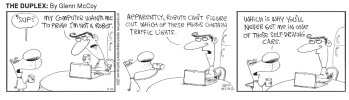
[NA] Since 182 buy fell through, ordered a Tesla Y

Your opinion on Musk's trustworthiness is just that. Your opinion.
In 2013 he said FSD by 2016. False
In 2014 he said FSD by 2015. False
In 2015 he said FSD by 2018. False
In 2016 he said FSD by 2018. False
Later in 2016 he said FSD by 2019. False
Yet later in 2016 he said FSD by 2017. False
In 2017 he said FSD by end of 2017. False
Later in 2017 he said FSD by end of 2017. False
Later in 2017 he said FSD by end of 2019. False
In 2018 he said FSD by mid 2018. False
Later in 2018 he said FSD by 2019. False
In 2019 he said FSD by end of 2019. False
Later in 2019 he said FSD by 2020. False
In 2020 he said FSD by 2020. False
Later in 2020 he said FSD by end of 2020. False
In 2021 he said FSD by end of 2021. False
In 2022 he said FSD by end of 2022. False
In 2023 he said FSD by end of 2023. False
Later in 2023 he said FSD by end of 2023. False
In 2024 he said FSD by end of 2024. False

And your takeaway from that is that he's trustworthy and it's only my opinion that he spews nonsense?
 
And your takeaway from that is that he's trustworthy and it's only my opinion that he spews nonsense?
Accurate estimates are based on previous experience with similar projects. When you're building something that's never been built before, you don't have any previous experience on which to base the estimates.

Musk has certainly been wrong. Most people are. That doesn't mean he isn't trustworthy. He says what he thinks. Listen to him in any of the many long-form interviews that he has done. He tells you what is true right now and what he thinks will happen in the future.

Musk once said, “I say something, and then it usually happens. Maybe not on schedule, but it usually happens.”

This quote is a little bit older than that, "Prediction is difficult—particularly when it involves the future." --Mark Twain

Look at what he has accomplished with Tesla, SpaceX, xAI, Neoralink, and The Boring Co. and your reaction is that his timelines slip?

For those who don't know, here's the current state of FSD. A 25-minute drive where the driver doesn't touch the steering wheel or pedals for the entire drive, from parking spot to parking spot, condensed into 8 minutes.

 
....you can re-engage FSD.
Thanks. Maybe I didn't keep it in park long enough as that is what I tried.

Nevertheless, autosteer is all I need. I don't see ever paying for FSD.
 
I've been using AI a lot more recently. I read it's okay to charge up to 100% before a long trip but you don't want the car sitting at that charge for too long. ChatGPT created a Google Sheet for me where I input the current charge %, a target charge %, and a departure time. The sheet calculates the amps I need to charge at so the car reaches the target level exactly when I'm ready to go. Pretty cool!
 
I've been using AI a lot more recently. I read it's okay to charge up to 100% before a long trip but you don't want the car sitting at that charge for too long. ChatGPT created a Google Sheet for me where I input the current charge %, a target charge %, and a departure time. The sheet calculates the amps I need to charge at so the car reaches the target level exactly when I'm ready to go. Pretty cool!
Or, let the car do that for you.

On the app, Set Schedules > Charging, set the End Charging by to your departure time. The car will calculate when to start charging to reach the charge limit at the specified time.

You can also Set Schedules > Precondition, to have the car warm/cool the cabin and warm the battery to operating temperature at your departure time so that it will be done using the house's power so you won't spend your battery charge doing it at the beginning of your drive.

The two settings can be used together or separately.
 
For those who don't know, here's the current state of FSD. A 25-minute drive where the driver doesn't touch the steering wheel or pedals for the entire drive, from parking spot to parking spot, condensed into 8 minutes.
I make 6 hour drives. It is not unusual to touch the steering wheel one or twice. It isn’t perfect, but is is very, very good, with HDW4 at least.
 
Saw some of the base standard Model Ys at Tesla Friday. Just a little too plain. Not even hubcaps on the ones I saw. Also on the front bumpers you can see mold lines beneath it. Just didn’t seem to have the fit and finish of the premium Y.

Salesperson talked me into taking a new X out for a test drive. Meh, I really didn’t see much of a ride difference over my 2017 P100D. Not worth twice the cost of a Y either. Had one in the show room for $128K…Frost Blue Metallic is beautiful though.
 
Last edited:
Not even hubcaps on the ones I saw.
They come with hubcaps. I believe that the showroom installs them prior to delivery. That was the case with my aero covers. Left the factory with them in the trunk. Installed by delivery.

I think the Standard Model 3 ($36,990) makes more sense then the Standard Model Y ($39,990). It doesn't lose as many features from the Premium version.
 
I'm not actually in the market right now, but say I want to buy a one or two year old Tesla to save $. What is the minimum model/configuration to integrate FSD?
 
I'm not actually in the market right now, but say I want to buy a one or two year old Tesla to save $. What is the minimum model/configuration to integrate FSD?
Hardware 4 is a 2024 and newer configuration. Hardware 3 is good, Hardware 4 is excellent. I was looking at 2021-2023 but decided I really wanted hardware 4 and could not find a 2024, so I ended up buying a new Model 3 Premium a couple of weeks ago.
 
I'm not actually in the market right now, but say I want to buy a one or two year old Tesla to save $. What is the minimum model/configuration to integrate FSD?
FSD will run on WH3 cars, but it's an older version of the software. Currently v12.6.4. v14 is expected to be ported to HW3 in a "lite" version in 2Q26. There's also a promise to retrofit HW3 cars of owners, who have purchased FSD, if it isn't possible to achieve FSD UNsupervised. No timeline has been given for when that decision would be made.

HW2.5 cars can have autopilot but not FSD. They are upgradable to HW3 at owner's expense.

The latest hardware is HW4, not called AI4. It runs the most current version of FSD, v14.1.4 at the moment, but v14 is still in the rollout stage for AI4 cars.

AI3 was rolled out in 2019. AI4 was introduced in cars manufactured in mid-2023 and later. Look in the car's Menu > Software > Additional Information option to see what it has.

This page gives a comparison between HW3 and AI4. https://www.yeslak.com/blogs/tesla-guide/tesla-hardware-4-vs-hardware-3

My car is HW3 and I've driven FSD in AI4 twice. AI4 is definitely better, though my HW3 car does almost all of my driving with very few interventions. I recently did a demo drive in a new Model Y. I did the drive for two reasons. I wanted to compare my Model 3 to a Model Y and decide if I wanted to upgrade to AI4 in the near future. I decided that I still prefer the sedan to the SUV, though it does have a lot more space, and the AI4 improvements are not enough for me to upgrade at this time. I've had my car for four years and will likely keep it for at least another two. AI5 may be available by then and would be a more compelling upgrade. If I were looking to buy another Tesla right now, I'd go with AI4 in the refreshed Model 3.
 
Exactly what I just did!
I had been thinking about the Y for a while. I'd really like the easier in/out from the higher seating position. Didn't really like the original styling but the refresh looks much better. That's why I wanted to drive one.

I did like the seating position. I don't remember the numbers but the efficiency was noticeably less than my 3. Wouldn't have bothered me if I hadn't been running 240-260Wh/mi for the past four years but too late now. The larger size was really obvious when I pulled it into my garage (they gave me a two-hour demo drive). The extra space is great, but I don't need it. I certainly understand why all that space has made it the top selling EV SUV, even in China. I just prefer my sedan.

I would really like the upgraded computer and cameras but not worth upgrading just for that at this point. My FSD works really well on my HW3 car and it'll get me through another couple of years.
 
Looks like Premium Connectivity is in my future. I had no idea iPhone hot spots are so terrible. My Android works flawlessly. My wife's iPhone drops constantly. We've tried everything. The last thing to try is always on/no lock.

I'm driving from Charlotte to the DC area for my first "long" trip on Wednesday. What are supercharger stations like during holidays?
 
I'm driving from Charlotte to the DC area for my first "long" trip on Wednesday. What are supercharger stations like during holidays?
Depends on where you are. In the west, superchargers I have used have had between 8 and 16 stations. I have never seen more than three occupied. In the east, that’s probably different.
 
Looks like Premium Connectivity is in my future.
It works great. I do the yearly subscription, $99 I think, as it gives you a discount over monthly. Almost all of my time in the car is spent listening to Spotify and like the live traffic display and the ability of the nav to route me around traffic.

I'm driving from Charlotte to the DC area for my first "long" trip on Wednesday. What are supercharger stations like during holidays?
Let the car figure out your stops. It's smart. It will route to away from Superchargers that are busier to avoid having to wait. Always navigate to Superchargers. When you do, the car will precondition the battery so that it is ready to charge quickly. A cold battery charges slowly.

Set your car to precondition and, separately, to end charging at your proposed departure time. Set it for 100%. It will delay charging to reach 100% shortly before the time you set. It will also use the home's power to warm up the car and the battery so that you won't use any battery power to do that once you start driving. No reason to start a trip at less than 100% with a cold car and battery.

Don't try to "top it off" when you stop. It's like flight planning; charge until you have enough to make it to the next stop plus reserve. This keeps the battery in the lower ranges of state of charge which is where it charges the fastest and will reduce your total time spent charging. Shoot for arriving at your next Supercharge around 10% SoC. As you build confidence in the navigation estimate, drop that a little bit more. If you stay in the 5%-60% range your total charging time will be a lot less than if you charged to a higher level. It's fine to run the car down to a very low SoC, just don't leave it there. Charge, at least a bit, when you arrive.

Whenever you stop, charge. If you need a bathroom break, pick a stop at an upcoming Supercharger. If you're hungry, eat near a supercharger. This way the car is always charging while you are doing things that you would have been doing anyway so that charging isn't adding to your travel time.

Learn how to display Superchargers on your map then tap on their icons to see what amenities are nearby. This way you'll be charging near the places that you want to be. You can also see information on pricing and how busy the Supercharge is.

On your last leg to your destination you'll probably want to arrive with a higher SoC so that you have power for driving around while you're there. You can change your arrival SoC and the car will tell you when you have enough to arrive with that and/or it will pick a final charge stop closer to your destination.

If you are staying at hotels, use PlugShare.com, or their app, to find ones that have destination chargers. If you are staying at someone's house, bring the 120V adapter (5-15) for the mobile charger so you can add some miles while you're there.

If you think something is more difficult than it should be, you're probably doing it wrong. Ask your favorite AI search tool how to do it better and there will likely be a better way.

Use Autopilot or FSD. Makes the drive much less fatiguing.

 

I predict a boom in sales when auto driving gets to “Smithers” stage (and a boom in the hospitalities industries following closely behind it).
 
...Let the car figure out your stops. It's smart. It will route to away from Superchargers that are busier to avoid having to wait...
My first long trip, and one during a high holiday travel period, went off w/o a hitch. It was actually quite nice -- no stress at all. I mostly followed your advice about letting the car figure out stops. Maybe I'm doing something wrong, but, I wish the car were a little more transparent and also give you options. For example, on the way out, the car planned two stops. At the 1st charging station, I noticed the "you have enough charge to resume your trip" message, but not knowing any better, charged to 80%. When I resumed the software dropped the 2nd stop b/c I now had enough charge. I get that charging slows down at 60% so the software optimizes to more frequent stops to take advantage of the faster charging ranges, but, it would be nice to know how much extra would be needed to avoid a stop altogether. The same thing happened on the way home. The software planned two stops. I charge to 75% this time and it again dropped the 2nd stop. A small detour for food was enough for the software to add back a 2nd stop. This 2nd stop was 8 miles off the main highway. It sure seems I would have returned home quicker had I charged to 80% and thereby avoided the 2nd stop and 8 mile detour altogether.

Battery conditioning was also not what I was expecting. Maybe it was the cold, but, the car started conditioning ~1 hour before the stop. It stopped conditioning but then started/stopped again 3 more times (roughly every 15 min).
 
Last edited:
My first long trip, and one during a high holiday travel period, went off w/o a hitch. It was actually quite nice -- no stress at all.
That's why we say that the only people who have range anxiety are people who don't own an EV.

I wish the car were a little more transparent and also give you options. For example, on the way out, the car planned two stops.
That is easy to do once you learn how.

Tap the map, to get the vertical menu pop-up on the right side of the screen, then toggle the display of Superchargers. This will let you look at other chargers that you'll be passing along your route. Tap a charger to see its information and nearby amenities. You'll have an option to add it to your route. The system will recalculate with that stop added and update your minutes until you can continue your trip. If you don't like that option, pick another.

The other thing is eat, whenever possible, near a Supercharger. There's no point in the car sitting if it's not charging if you're going to have to wait for it to charge later.

Battery conditioning was also not what I was expecting.
Yeah, seems random, but it knows what its doing.

You probably already have but, if you haven't, learn to use the climate "Keep" function as well as turning on climate from the app and the "Defrost Car" option, from the app, if it has snow/ice on it.
 
As usual, excellent, spot-on advice from @Larry in TN in both recent posts.

Tap the map, to get the vertical menu pop-up on the right side of the screen, then toggle the display of Superchargers. This will let you look at other chargers that you'll be passing along your route. Tap a charger to see its information and nearby amenities. You'll have an option to add it to your route. The system will recalculate with that stop added and update your minutes until you can continue your trip. If you don't like that option, pick another.
I believe that this does have the disadvantage of calculating a stop at that Supercharger even if they think it's going to be full when you get there, as you're telling it you ARE GOING to stop there. But yes, this is what I do too.

FWIW, on trips away from home, I find it useful to put *all* of my planned stops up until the next place I'm going to charge *not* at a Supercharger. Otherwise, it'll default to what I have set which is 10% at my destination. If my destination doesn't have charging available, then the car doesn't know I'll need more at the last Supercharger.

You probably already have but, if you haven't, learn to use the climate "Keep" function as well as turning on climate from the app and the "Defrost Car" option, from the app, if it has snow/ice on it.
This. I've put a Tesla widget on my home screen so that I can quickly enable climate or open trunk, frunk, or charge port door from my phone.

I've also set up a shortcut so that I can say to my watch "Hey Siri, open my trunk!" when my arms are full of stuff to put in the trunk. The future is here, and it's awesome.
 
I believe that this does have the disadvantage of calculating a stop at that Supercharger even if they think it's going to be full when you get there, as you're telling it you ARE GOING to stop there.
That is true, but you'll see the stalls available number and the chart of when it is historically busiest and can include that in your decision-making.

Display the chargers on the map as you are driving as you are getting closer to monitor charger availability in the rare cases (holidays, S. Cal) when availability might be a consideration.
 
My car has the older hardware 3 (HW3), not the newest AI4. I knew that the AI4 cars had this capability but did not think that my car did.

This morning, I was at a red light, first in line in my lane. I heard an emergency siren but, when the light turned green, I didn't know from which direction it was approaching. My car was in FSD waiting to turn left at the intersection.

When the light turned green, my car held its position, even though a car to my right went through the intersection. The firetruck was approaching from behind and had just moved into the oncoming lane when the light turned green. My car waited for the firetruck to pass then promptly started through the intersection when the firetruck was clear.

This video is from two, of the four, camera feeds that my car is recording at all times. The forward camera and the the left-rearview camera (same view as the left-side rearview mirror). The video is recorded to a thumb drive in the glovebox. My son edited it together and included the inset view to show the timing of the traffic light changing to green.

I was in FSD the whole time and never intervened.


Pretty cool.

I've noticed FSD is better at avoiding objects in the road.

I had to intervene again in a similar scenario I earlier reported. I was in the left of two right turn lanes where only the right lane was allowed to turn right on red. The car started into the intersection on red.
 
I just drove a long cross country from the DC area to the Orlando area. FSD the whole way. I only intervened once when it seemed to be having trouble getting out of a parking garage.

For charging, the truck let's me pick fastest, best amenities, or fewest stops. Generally I chose best amenities for long trips, that seems to make it align very well with coffee/pee stops. I rarely find myself waiting for the charge since my coffee in/out cycle aligns well with a pretty full charge. If it's a meal stop, I'll set the limit to 100% and just leave after I eat.
 
I can’t seem to keep up with which Tesla thread is the superthread, but today’s WSJ front page sidebar states Tesla is moving FSD to a monthly subscription only beginning 2/14.

It is unclear what that means for those that paid for it upfront (lifetime) except for some that did so but can’t take advantage of FSD due to hardware limitations the company will have to make it right for them. But first, autonomy has to be solved before the reverse engineering can start.

Apparently FSD only has 12% penetration across the fleet, independent of subscription type (monthly or lifetime).

The article also indicated Tesla is planning for the non-autonomous EV line to become a hobby business.

Happy early Valentine’s.
 
I figured they would make changes. The lump sum was huge compared to monthly.

I noticed a nit which I think is a bug. If you remotely turn on climate, the draw can be significant if it also preconditions the battery. The car doesn't seem to start charging again. Example. Charge limit set to 80. Climate on. When I get into the car the battery is at 78 and it's not charging. Seems the battery should start charging as soon as it drops below 80.
 
There exists a price point that optimizes revenue. That point exists on a curve.

My point being, if Tesla offered FSD at a much lower price point - I think $30/month might be a sweet spot - many owners like myself would keep their subscriptions active. The large number of subscribers might actually produce more revenue than the existing $99. Lots of folks can rationalize “a dollar a day” that might not spring for $100/ month. I count myself among those.
 
I heard recently FSD statistics are showing a 90% drop in accidents compared to manual driving. Tesla should start selling cheap auto insurance and throwing in FSD as a package.
 
I figured they would make changes. The lump sum was huge compared to monthly.
The monthly subscription was introduced because the one-time fee didn't make sense for people who were leasing, or not planning to keep the car more than a couple of years.

At that point, the one-time fee didn't make sense unless you were planning to keep the car for almost seven years--not accounting for the time-value of money.

Since the one-time fee doesn't make sense for most owners, they are dropping it.

I noticed a nit which I think is a bug. If you remotely turn on climate, the draw can be significant if it also preconditions the battery. The car doesn't seem to start charging again. Example. Charge limit set to 80. Climate on. When I get into the car the battery is at 78 and it's not charging. Seems the battery should start charging as soon as it drops below 80.
Do a hard reset. If your car is plugged in, it should use your house's power for preconditioning.

I heard recently FSD statistics are showing a 90% drop in accidents compared to manual driving. Tesla should start selling cheap auto insurance and throwing in FSD as a package.
Tesla offers insurance in 13 states and is in the process of getting approval in three more. Rates are based on your driver safety score recorded by the car.
 
I heard recently FSD statistics are showing a 90% drop in accidents compared to manual driving. Tesla should start selling cheap auto insurance and throwing in FSD as a package.

um, careful, that stat would suggest that the people "driving" cars with FSD aren't particularly good drivers.

of course, I might not understand what comprises the "90% drop"
 
of course, I might not understand what comprises the "90% drop"
It would mean that the rate (accidents per x number of miles) drops 90%.

You'll see a lot of different stats because there are a lot of different ways to measure it. Different definitions of an accident. Different combinations of highway vs. city miles. Different time periods.

Tesla's data, as recorded by the cars themselves, is that autopilot/FSD is ~9.1x safer than the US average. 6.36million miles per crash compared to the US average of 702,000. Since Autopilot miles are included, that is somewhat skewed to highway driving as more Autopilot miles are driven on the highway vs. city. Tesla counts crashes where airbags or restraints deploy.

Tesla has recently begun reporting FSD data, excluding Autopilot miles. It shows a rate of ~7.3x safer than the national average with 5.1million miles vs. 699,000 miles. It also reports minor crashes (no airbag deployment but a Delta V of 8km/h or greater) which is 1.5million to 229,000.
 
of interest (to me anyway) is the difference in accident rates of Teslas with and without FSD being used. And it would need to be apples to apples wrt what driving (e.g., highway, city, etc etc etc)
 
of interest (to me anyway) is the difference in accident rates of Teslas with and without FSD being used. And it would need to be apples to apples wrt what driving (e.g., highway, city, etc etc etc)
That information is available on this page.


Scroll down to the "Miles Driven Before a Collision" interactive graph.
 
I noticed a nit which I think is a bug. If you remotely turn on climate, the draw can be significant if it also preconditions the battery. The car doesn't seem to start charging again. Example. Charge limit set to 80. Climate on. When I get into the car the battery is at 78 and it's not charging. Seems the battery should start charging as soon as it drops below 80.
What sort of charger do you have? The Teslas turn their climate on very quickly, which draws a significant amount of power and might pull enough from the battery that if you leave soon thereafter the battery hasn't yet had a chance to recover. Now, if you have a 40A 240V charger that's less likely to be true, but the last % at the top of the battery is always going to take longer to do.

I heard recently FSD statistics are showing a 90% drop in accidents compared to manual driving. Tesla should start selling cheap auto insurance and throwing in FSD as a package.
They do... But it's insurance that pays attention to your driving habits and if you like to have a little fun from time to time, or if you drive in areas where you have to do a lot of swerving/braking to avoid hitting crappy drivers, your rates take a hit.

As someone who enjoys fun from time to time, I'm sticking with a traditional insurer.
 
What sort of charger do you have?...
I do almost all my charging at home at 16A and at the train station at 30A (I believe). About 15 min before the last train stop, I'll turn on climate. In about 10 min the car and battery preconditioning completes meanwhile the charge has dropped from 80 to 78%. Charging does not restart. My work around is to set the charge limit to 81 to trigger the car to start charging again then immediately set it back to 80.
 
I noticed a nit which I think is a bug. If you remotely turn on climate, the draw can be significant if it also preconditions the battery. The car doesn't seem to start charging again. Example. Charge limit set to 80. Climate on. When I get into the car the battery is at 78 and it's not charging. Seems the battery should start charging as soon as it drops below 80.

I’ve noticed something similar, though not directly related to “climate”, though maybe something to do with temps in the 20’s.

I routinely charge to 80%. A couple of times, including last night, it sits in the morning with less than a full charge. Today at 77%. Which, after almost 4 years and 90,000 miles is shown as 230 miles of range. This on a Long Range originally advertised as 358 miles or so of range. Not surprising, I guess, but I may reflect on that more in another post.
 
I do almost all my charging at home at 16A and at the train station at 30A (I believe). About 15 min before the last train stop, I'll turn on climate. In about 10 min the car and battery preconditioning completes meanwhile the charge has dropped from 80 to 78%. Charging does not restart. My work around is to set the charge limit to 81 to trigger the car to start charging again then immediately set it back to 80.
Disregard my last answer. I was thinking Level 2 at home.

The commercial charger has likely stopped your session when it completed the initial charge and is no longer available to provide power to the car without starting a new session.

Is it important to start your drive home at 80% instead of 78%? I wouldn't think it would be. If not, I wouldn't worry about the two points.

There's no magic in the 80% number, either. You can charge, and sit, at 85% or 90% without causing problems. 80% is just a nice, round number for the recommendations. What you want to avoid is sitting at very high states of charge, i.e. 95%-100%, for extended periods of time. Same thing for sitting at very low SoC, i.e. under 20%, for extended periods. Nothing wrong with going into those ranges, just don't sit there. Charge high then drive, or drive low then charge.

If you're trying to optimize the Level 2 charge at the station due to using Level 1 charging at home then charge to 85% or 90%. It won't hurt the battery. Maybe you just want to charge high on Fridays to have more for the weekend?
 
Disregard my last answer. I was thinking Level 2 at home.
I see the same behavior both at home and at the train. Once the car charges to the target, if something else draws it down, it doesn't want to recharge back to the target. I bet it doesn't care for a couple % and that there is a boundary which once crossed would trigger it to re-charge.

The commercial charger has likely stopped your session when it completed the initial charge and is no longer available to provide power to the car without starting a new session.
Only one time has the commercial charger not let me start charging again, so, I'm pretty sure the session is staying open.


Is it important to start your drive home at 80% instead of 78%? I wouldn't think it would be.
It's not. That's why I said a "nit" issue. However, I make a game of it to see if I can avoid charging at home. I made it most of December with only charging at the train station. So, on Fridays, I like to start the weekend with at least 80%.


There's no magic in the 80% number, either. You can charge, and sit, at 85% or 90% without causing problems. 80% is just a nice, round number for the recommendations. What you want to avoid is sitting at very high states of charge, i.e. 95%-100%, for extended periods of time. Same thing for sitting at very low SoC, i.e. under 20%, for extended periods. Nothing wrong with going into those ranges, just don't sit there. Charge high then drive, or drive low then charge.
This is great information! On the train home, I sometimes start charging again so it's 85% when I start the weekend. I've worried 80 is a magic # and I was causing damage.

I had figured 50% was the recommended sitting low charge b/c the app doesn't let you charge to something under 50%. Again, great info. Thanks!

If you're trying to optimize the Level 2 charge at the station due to using Level 1 charging at home then charge to 85% or 90%. It won't hurt the battery. Maybe you just want to charge high on Fridays to have more for the weekend?
You nailed it.
 
Back
Top