The MyFlightBook thread

I just noticed a little joke that I assume @EricBe included in MFB on purpose.

In the Training/Achievements page most of the Achievements have a link to click to view the applicable flights that made that achievement. Such as "Longest streak of consecutive flying days", the link filters your logbook to show only the flights on those days.

Well there is also a "longest streak of consecutive NON-flying days", where if you click the link, filters your logbook to show only the flights in that date range, but of course there ARE NONE, so the resulting page is blank! As it should be. I have to imagine that Eric, when making that Achievement, realized it and left the link (to a null result) in on purpose. At least I like to think so.

Silly, and made me laugh.

Here's what I get when I click:

View attachment 149195
You thought it through more deeply than I had. I just thought the point of the link was to show you that...yep, there were no flights in that date range. Although strictly speaking, this list might not be empty: the query is looking for any entries in the "non-flying" date range, but the achievements list is only looking at actual flights (i.e., it ignores any sims). So if you go 6 months keeping your IFR currency in a sim but not otherwise getting into an aircraft, then you might have a 6 month non-flying gap, but when you click on it you'd see a ton of matching entries. :)
 
You thought it through more deeply than I had. I just thought the point of the link was to show you that...yep, there were no flights in that date range. Although strictly speaking, this list might not be empty: the query is looking for any entries in the "non-flying" date range, but the achievements list is only looking at actual flights (i.e., it ignores any sims). So if you go 6 months keeping your IFR currency in a sim but not otherwise getting into an aircraft, then you might have a 6 month non-flying gap, but when you click on it you'd see a ton of matching entries. :)

Nope. My mind is made up, it's a joke you made on purpose, I like it, and I think it's funny. :D
 
Hi @EricBe

The Date field for exporting is currently only available in YYYY-MM-DD Format. Would it be possible to include an additional field on export with ISO-8601 format? Similar to how engine/flight start and end times are handled?

This is needed to correctly map that date of the log to the users timezone/date
 
The Date field for exporting is currently only available in YYYY-MM-DD Format. Would it be possible to include an additional field on export with ISO-8601 format? Similar to how engine/flight start and end times are handled?

This is needed to correctly map that date of the log to the users timezone/date
Well, yyyy-mm-dd is already ISO 8601 for a date. I assume you're asking for a time as well? If so, what time would you like me to arbitrarily provide? :) OK, just kidding on that, but the serious point is that date-of-flight is a naked date. It literally doesn't have a time. The engine start/flight start/block out times are points-in-time; you can infer timezone from one of those and starting airport, but if they don't log any of those, then I have no way to determine what time of day the flight occurred. In the database, the date-of-flight literally has no time information.
 
Well, yyyy-mm-dd is already ISO 8601 for a date. I assume you're asking for a time as well? If so, what time would you like me to arbitrarily provide? :) OK, just kidding on that, but the serious point is that date-of-flight is a naked date. It literally doesn't have a time. The engine start/flight start/block out times are points-in-time; you can infer timezone from one of those and starting airport, but if they don't log any of those, then I have no way to determine what time of day the flight occurred. In the database, the date-of-flight literally has no time information.

You're right! You got me there. :p

And you are also correct about me looking for the time being a part of the date. The naked date is interesting. (I’m assuming you are maintaining sort order based date and Flight ID?) Inferring the timezone from the starting airport or other UTC time fields is smart, but like you mentioned, is not guaranteed to work.

This is actually an interesting problem. Both in the technical and the practical. YYYY/MM/DD is obviously how paper logbooks track date, so it makes sense to track it that way. On the other hand, being digital and using a date picker makes it easy to also attach a fully coordinate date. So that’s what I did. It also had the added bonus of being used for sorting.

However, looks like that wasn't the best thing to do. Since it creates an issue with timezones… oops. I’ll have to think about how best to handle fixing it.
 
So
You're right! You got me there. :p

And you are also correct about me looking for the time being a part of the date. The naked date is interesting. (I’m assuming you are maintaining sort order based date and Flight ID?) Inferring the timezone from the starting airport or other UTC time fields is smart, but like you mentioned, is not guaranteed to work.

This is actually an interesting problem. Both in the technical and the practical. YYYY/MM/DD is obviously how paper logbooks track date, so it makes sense to track it that way. On the other hand, being digital and using a date picker makes it easy to also attach a fully coordinate date. So that’s what I did. It also had the added bonus of being used for sorting.

However, looks like that wasn't the best thing to do. Since it creates an issue with timezones… oops. I’ll have to think about how best to handle fixing it.
It's actually a bit more complicated than that: pilots can choose to log date-of-flight as UTC date or local date. Under EASA, many pilots use UTC date for the date-of-flight (especially since they're typically within an hour or so of UTC...). I have an option for you to tell me if that's what you do (Profile->Preferences->Flight Entry and Display->Interpret the date of flight as). It's really a matter of preference, I'd just say "be consistent." The only functional place I use it is in the display of block/flight/engine/schedule times (typically in the print views, where space is precious): if you set this option, then these display as naked times, and if you don't, then it shows the full date.

The idea is that if you depart SFO for LHR at 10pm Pacific time in on Feb 1 2026 and you have a block out time of 06:00Z, then if you interpret the date-of-flight as local date, then it's a flight date of Feb 1 and the block out time shows "2/2/2026 6:00am" (or however it gets localized according to your local conventions), and if you interpret date-of-flight as UTC date, then the flight date would be Feb 2 and the block out time would display simply as "6:00am" for brevity since you've already established the start date.

For sort order, it's also a bit more complicated. See https://myflightbook.com/logbook/mvc/faq?q=57#57, but I do the following sorts/sub-sorts:
* Date of flight (just the YYYY-MM-DD part)
* Engine start
* Block Out
* Flight start
* hobbs start
* Flight ID (these are assigned sequentially, so if you enter flights in chronological order, this should be a good proxy for order of flights)

 
So

It's actually a bit more complicated than that: pilots can choose to log date-of-flight as UTC date or local date. Under EASA, many pilots use UTC date for the date-of-flight (especially since they're typically within an hour or so of UTC...). I have an option for you to tell me if that's what you do (Profile->Preferences->Flight Entry and Display->Interpret the date of flight as). It's really a matter of preference, I'd just say "be consistent." The only functional place I use it is in the display of block/flight/engine/schedule times (typically in the print views, where space is precious): if you set this option, then these display as naked times, and if you don't, then it shows the full date.

The idea is that if you depart SFO for LHR at 10pm Pacific time in on Feb 1 2026 and you have a block out time of 06:00Z, then if you interpret the date-of-flight as local date, then it's a flight date of Feb 1 and the block out time shows "2/2/2026 6:00am" (or however it gets localized according to your local conventions), and if you interpret date-of-flight as UTC date, then the flight date would be Feb 2 and the block out time would display simply as "6:00am" for brevity since you've already established the start date.

For sort order, it's also a bit more complicated. See https://myflightbook.com/logbook/mvc/faq?q=57#57, but I do the following sorts/sub-sorts:
* Date of flight (just the YYYY-MM-DD part)
* Engine start
* Block Out
* Flight start
* hobbs start
* Flight ID (these are assigned sequentially, so if you enter flights in chronological order, this should be a good proxy for order of flights)

I think my error was in setting up a database that only considered UTC date. Since that doesn't consider the reality of its physical counterpart and the YYYY-MM-DD logging.

And I also think this is more of a preference issue than a technical issue. - What I'm most worried about is a situation where someone started with paper logs, then converted to digital. Then in an interview, their printed digital logs don't match their paper logs because the dates are wrong due to a change in locale.


Since I already have the UTC, I think there's an easy fix by duplicating the date field and formatting it in into a normalized YYYY-MM-DD. Then I can use that date for presentation. It's not as accurate, but it is a better match to the expected behavior.
 
Indeed, paper logbooks are generally naked dates. I live in the Seattle area, so lots of my flights have a date that is one day behind the UTC timestamp of when the flight began, but you can't tell that from looking at the paper.
 
ATD/Simulator Logging Question (for @EricBe and others):

I have flights logged in a Redbird BATD within MFB, appropriately identified as an ATD, with which I have logged approaches and holds. When I "check flights," I get a warning for these flights that I have approaches logged without IMC or Simulated IMC. I log the time as "Ground Sim" and don't enter time in IMC or total time. With Eric's recent blog post on professional logging, I wondered if I was doing this right, or if folks have a better way of logging flights on ATDs?
 
ATD/Simulator Logging Question (for @EricBe and others):

I have flights logged in a Redbird BATD within MFB, appropriately identified as an ATD, with which I have logged approaches and holds. When I "check flights," I get a warning for these flights that I have approaches logged without IMC or Simulated IMC. I log the time as "Ground Sim" and don't enter time in IMC or total time. With Eric's recent blog post on professional logging, I wondered if I was doing this right, or if folks have a better way of logging flights on ATDs?
As far as I am aware, there is no problem with logging simulated instrument time in a sim. See https://myflightbookblog.blogspot.com/2020/01/simulated-instrument-and-ground.html. I don't know that it's strictly necessary (which is why it's not an error), but the presence of simulated instrument time on an entry indicates that you "flew" by reference to instruments for at least part of the session, which is kinda the point if you're doing instrument currency. So IMO, it's a "dot-the-i's-and-cross-the-t's" thing to log.

Logging the time as "Ground Sim", and leaving IMC and Total Time blank is the correct thing to do. The only other thing I'd add is to make sure that you're recording somewhere the relevant details of the sim - serial #/registration, manufacturer, location, per 61.51(b)(1)(iii). The "Simulator/Training Device Identifier" field will show up automatically for sim sessions, that's a good place to add it (and check flights will see that), but it's also fine to put that into the comments/remarks.
 
As far as I am aware, there is no problem with logging simulated instrument time in a sim.
I appreciate your insight. I thought this veered into the same territory as logging Total Time when flying a sim. I'm aiming for clean logbooks, as best I can manage. The principles of BATD logging itself seemed straightforward, so I was thankful for Ground Sim time to give me something to log against.
 
I appreciate your insight. I thought this veered into the same territory as logging Total Time when flying a sim. I'm aiming for clean logbooks, as best I can manage. The principles of BATD logging itself seemed straightforward, so I was thankful for Ground Sim time to give me something to log against.
(Obligatory disclaimer for all of this: I'm not a lawyer, I can't give advice, your mileage may vary, ultimately it's up to you, blah, blah, blah)

They're measuring different things. The airlines definitely don't want sim time counting towards your total time. I've never really heard anybody care, though, about how much simulated instrument time you have except in prep for an instrument rating (and then the simulated instrument you can credit from a sim is capped anyhow). While it's not time in an aircraft (and thus not flight time - aka total time) it *is* "flight by reference to the instruments." I've never heard anybody raise simulated-instrument-in-a-sim as an issue, though. Also note that on your 8710 form, simulated instrument will be segregated by aircraft/ATD/FTD/FFS.

I believe, by the way, that the same is true for night flight. You can log night flight experience if you like in a sim, since that's the conditions of the flight. That night flight doesn't really count towards your night experience requirements for ratings (since that explicitly requires "flight time," which it isn't, even in a full-motion sim), and again it will be segregated on the 8710 form, but if you're in a fully certified full-motion flight sim and you do night landings, they count towards night currency and since they need to be done at night (sunset + 1hr to sunrise - 1hr)...then I think it makes sense to log the fact that you were "flying" under those circumstances.
 
I appreciate your insight. I thought this veered into the same territory as logging Total Time when flying a sim. I'm aiming for clean logbooks, as best I can manage. The principles of BATD logging itself seemed straightforward, so I was thankful for Ground Sim time to give me something to log against.
It's not the same. First, there's no such thing as "Total Time. "There's either total "flight time" (defined as in an aircraft) or total "pilot time" (defined as in an aircraft or graound device). For various reasons most pilots with paper logbooks and most eLogs reserve the final total for "Flight Time." Some even specifically call the column/field, "total flight time" or "total duration of flight."

The instrument currency rule (61.57(c)), OTOH, requires that to count, the approaches, etc, may be performed via an approved ground device "in simulated instrument conditions." And the the Universal Logging Rule (61.51) talks in term of "Simulated instrument conditions in flight, a full flight simulator, flight training device, or aviation training device" as a logging requirement. After all, you could fly that Redbird in perfect simulated VFR conditions, in which case it wouldn't count any more than in an aircraft.

With a paper logbook, that can cause a bookkeeping problem (since the 8710 separates flight from simulated time). But, as Eric points out, with a eLog, the aircraft/device definition allows the app to separate the two\ for reports and the 8710.
 
It's not the same. First, there's no such thing as "Total Time. "There's either total "flight time" (defined as in an aircraft) or total "pilot time" (defined as in an aircraft or graound device). For various reasons most pilots with paper logbooks and most eLogs reserve the final total for "Flight Time." Some even specifically call the column/field, "total flight time" or "total duration of flight."
To that point: see https://myflightbookblog.blogspot.com/2019/10/total-time-and-total-flight-time.html
 
Yeah, I bet a lot of people (inappropriately) put time into the "Total Duration of Flight" for sim entries... But that "Total Duration of Flight" column, with its long name, is what I refer to (far too loosely) as "total time" in MyFlightbook.
 
Thought I’d mention this. I do the donation that gets my MFB data automatically uploaded to a cloud account daily. Since even for a worst-case scenario, I can’t imagine needed to keep more than a few weeks worth, I’ve been going into my Google Drive periodically to delete old ones. I haven done that regularly, so there can be several months to clean up.

Google Apps uses an offshoot of JavaScript, “AppScript” (how original!), for coding. So, I thought, why not a script that runs weekly and deletes all the files in the MFB backup folder that are more than 30 days old.

It been ages since I’ve hand-coded, so I gave AI a try. The script looks good and “seems” to work, but we’ll see how it goes.
 
Thought I’d mention this. I do the donation that gets my MFB data automatically uploaded to a cloud account daily. Since even for a worst-case scenario, I can’t imagine needed to keep more than a few weeks worth, I’ve been going into my Google Drive periodically to delete old ones. I haven done that regularly, so there can be several months to clean up.

Google Apps uses an offshoot of JavaScript, “AppScript” (how original!), for coding. So, I thought, why not a script that runs weekly and deletes all the files in the MFB backup folder that are more than 30 days old.

It been ages since I’ve hand-coded, so I gave AI a try. The script looks good and “seems” to work, but we’ll see how it goes.

I would be very interested in that, since I also periodically have to go through and delete all the old backups.
 
Note that there is an option, if you like, to overwrite each backup. The tradeoff is that you don't have historical backups, but you also don't have an accumulation of files.
 
Note that there is an option, if you like, to overwrite each backup. The tradeoff is that you don't have historical backups, but you also don't have an accumulation of files.

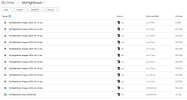
I have that option checked, and while it overwrites the logbook file each day, it does not overwrite the Myflightbook Images file, which is much larger, which it also backs up every day. Any advice?
 
Note that there is an option, if you like, to overwrite each backup. The tradeoff is that you don't have historical backups, but you also don't have an accumulation of files.
My concern with that is a glitch where the overwrite is bad. That’s why I want to retain at least a short backup history.
 
I would have thought that you'd not want to overwrite the backup file every day. What if the online file gets corrupted or fat-fingered and you don't notice it a while?

I'm not sure, but I'm pretty sure the IT people at my prev employer ran backups of the server every night. They kept those for a time, eventually overwriting some of them but not all..... so going back a week or three? they had the dailies...but if you needed to look back further they only maintained weeklies or maybe monthlies. I don't know exactly, it was something like that....

I think that I'd try to write such a script that it keeps dailies for say 30 days like @midlifeflyer is doing, then deletes the old ones except that it saves say for example one random entry per month....maybe for a one-year look back, then cleans them out....
 
I think that I'd try to write such a script that it keeps dailies for say 30 days like @midlifeflyer is doing, then deletes the old ones except that it saves say for example one random entry per month....maybe for a one-year look back, then cleans them out....
For me, it’s only about the corruption issue. I’m not worried about a “look back” when I have current data. If I wanted to see what the data file looked like on March 23, 2019, including the totals, it would take about a minute,
 
I would have thought that you'd not want to overwrite the backup file every day. What if the online file gets corrupted or fat-fingered and you don't notice it a while?
Not sure what failure mode you're envisioning here. Are you suggesting that the MyFlightbook user accidentally deletes a year's-worth of flights from his MyFlightbook account and doesn't realize he's done this, and now that's what the online backup file reflects also? That seems unlikely--the MyFlightbook user interface is not like a SQL prompt where you can wreak havoc across an entire database with a simple syntax error. You'd have to click a fair number of buttons to mess up a large amount of data.

If you're talking about smaller errors, like accidentally deleting a flight and not noticing if for a while, well, if they're that small, how likely are you to notice them within a day, a week, a month, or even a year? Not sure where you'd suggest drawing the line there. But for small errors like that, I probably wouldn't try to fix them by going to a prior backup anyway, because by the time I noticed there'd be days, weeks, months, or years of additional entries made since then that I'd want to keep, so I'd just go back and fix the small errors manually.

The more likely use case for a MyFlightbook backup is that one day, Mr. Berman goes on a wild vacation in Tahiti (as he is wont to do) and the MyFlightbook hosting bills don't get paid and the website goes down, and folks want to move their data to a new system. That's where having a recent copy of the data comes in handy, and a single copy will be just fine.

I'm not sure, but I'm pretty sure the IT people at my prev employer ran backups of the server every night. They kept those for a time, eventually overwriting some of them but not all..... so going back a week or three? they had the dailies...but if you needed to look back further they only maintained weeklies or maybe monthlies. I don't know exactly, it was something like that....
Comparing single-user, single-app MrFlightbook data backups to multi-user, multi-purpose business server backups is an apples-to-automobiles comparison.
 
Last edited:
I have that option checked, and while it overwrites the logbook file each day, it does not overwrite the Myflightbook Images file, which is much larger, which it also backs up every day. Any advice?
huh, which service (dropbox? google?) That big file always has a constant filename so it should *always* overwrite, for precisely the reason of not filling up your storage!
 
Not sure what failure mode you're envisioning here. Are you suggesting that the MyFlightbook user accidentally deletes a year's-worth of flights from his MyFlightbook account and doesn't realize he's done this, and now that's what the online backup file reflects also? That seems unlikely--the MyFlightbook user interface is not like a SQL prompt where you can wreak havoc across an entire database with a simple syntax error. You'd have to click a fair number of buttons to mess up a large amount of data.

If you're talking about smaller errors, like accidentally deleting a flight and not noticing if for a while, well, if they're that small, how likely are you to notice them within a day, a week, a month, or even a year? Not sure where you'd suggest drawing the line there. But for small errors like that, I probably wouldn't try to fix them by going to a prior backup anyway, because by the time I noticed there'd be days, weeks, months, or years of additional entries made since then that I'd want to keep, so I'd just go back and fix the small errors manually.

The more likely use case for a MyFlightbook backup is that one day, Mr. Berman goes on a wild vacation in Tahiti (as he is wont to do) and the MyFlightbook hosting bills don't get paid and the website goes down, and folks want to move their data to a new system. That's where having a recent copy of the data comes in handy, and a single copy will be just fine.


Comparing single-user, single-app MrFlightbook data backups to multi-user, multi-purpose business server backups is an apples-to-automobiles comparison.
Not quite true. MyFlightbook isn't quite single user. Suppose you fly N12345 and you entered it as a C-172P. Now someone comes in and updates it to be a C-172S (perhaps correctly, perhaps not). Aircraft on MyFlightbook are shared, and this is considered a "minor" edit (more on that below, but the gist of it is that it is a C172 both before and after the edit). Your flights in N12345 are now C-172S in your logbook. Not a big deal (hence "minor" edit), but it's still a change from one day to the next without you making any changes in your account.

If you're curious about how crowd-sourced editing of aircraft works, see https://myflightbookblog.blogspot.com/2019/04/adding-and-editing-aircraft-update.html. At a high level, to allay any worries here: if anybody makes an edit that would be a "big deal" change (e.g., changing a C-172 to a Boeing 737), then the aircraft gets cloned for them and you are unaffected. But small changes will propagate.

As for the "perhaps correctly, perhaps not", note that all users of a given aircraft receive an email notification of any edit to that aircraft, whether a minor change or a major change that resulted in the clone. I get a copy of (and review) each of these as well (which right there tells you it's not an overwhelming volume). The entire purpose of those notifications is so that if the edit is "perhaps not" correct, someone can squawk and fix it (often, but not always, me, and I can lock an aircraft from edits if there's too much back-and-forth). This results in the database trending towards ever greater accuracy over time, which is a decidedly good thing.
 
huh, which service (dropbox? google?) That big file always has a constant filename so it should *always* overwrite, for precisely the reason of not filling up your storage!

Google Drive.

Here's what it looks like right now.

1782142522513.png

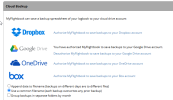
And here's my current settings (it has been this way for a while):

1782142652872.png
 
Google Drive.

Here's what it looks like right now.

And here's my current settings (it has been this way for a while):
Huh, well I'll be darned, I am indeed appending the date to the zip file on google drive every time. I have some forensics to do to figure out why. It's only for google drive - it's NOT happening for dropbox/box/onedrive. I vaguely recall that there was some reason for doing this, but I don't recall what it was off the top of my head
 
Huh, well I'll be darned, I am indeed appending the date to the zip file on google drive every time. I have some forensics to do to figure out why. It's only for google drive - it's NOT happening for dropbox/box/onedrive. I vaguely recall that there was some reason for doing this, but I don't recall what it was off the top of my head
Been that way *for google drive* since 2017, as far back as my github repository goes!
 
I just tried in my test account turning off the appended date for the zip file...seems to work fine. I'll just turn it off; I think the issue was that at some point Google was doing weird things with overwrites of a same name, but it seems to be working now, so I'll omit the zip and go to the same behavior as Dropbox/onedrive/box where you get a NEW CSV (small - typically hundreds of kilobytes at best) every day by default, but you ALWAYS overwrite the zip (large - can easily be tens of megabytes or even more). Look for it later this week perhaps.
 
Is there a way to generate a report showing how many hours you have in each tailnumber? I'm not seeing it but maybe I'm missing something.
 
Congratulations on 20 years. I developed a few open source projects, mostly tiny things and long ago, and can only imagine the orders of magnitude greater your labor of love must be with your unspecified but "comfortably into 6 figures" user count and 20 years of scratching an itch that obviously a lot of people share.
 
Back
Top