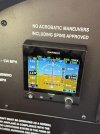
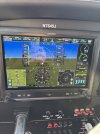
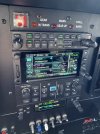
Coupled approach - GTN650Xi & GFC500

Keeping your heading bug centered during almost phases of flight is pretty much SOP at many operators, and for good reason. It's a good practice, that way if anything (inadvertently or otherwise) goes wrong with the navigation (most often pressing the wrong button or loading something incorrectly into the FMS), you can quickly go to heading mode while you resolve the problem.

There is one phase of flight (at work) where I often will not have it centered up, intentionally skewing it 30 or so degrees off course, and that is while flying an approach (typically an inspection in VMC, but not always). In the Collins Pro Line 21, the heading bug covers up the ground track indicator (a small circle) on the HSI. On other glass panels you may be able to see both, but not on the one we have at work.

Given that our tolerances are much tighter than normal when flying an approach for inspection purposes, I like to have that ground track indicator visible to see if it's matching up with the final approach course and doing what you expect. Because if the autopilot is not flying precisely enough, I'll need to disengage it before it gets too far out of line and hand fly back within tolerances. Seeing the ground track indicator gives me advance warning of that in many cases. Obviously a specialized use.
 
VNAV is also convenient as a sanity check in case ATC forgets to descend you. When the calculated VSR creeps up on 1,000 fpm, you may want to check in. It also helps to decide when to exercise your pilot's discretion for a descent where you want to wait as long as reasonable before diving through a layer that could, for instance, deposit some ice on you.
I'd be checking in when the VSR hits 500 fpm if they haven't already told me to expect something.

As far as the heading bug pointed somewhere other than the nose of the plane, one more example comes to mind: Departures like "enter controlled airspace on heading 150" and similar heading-after-takeoff scenarios.
That's a good one.

I started reading the manual but frankly it’s so many options, it’s impossible to remember all of them. But I do want to play with VNAV, lean assist and minimums next time I fly.
If you are flying reasonably often and using the boxes appropriately, you'll find that you get used to the "normal" stuff quite easily, and then you can start going into the weeds with the specialized stuff... And IMO, you should strive to learn everything eventually.

What sorts of things have you decided not to learn at this time?

Keeping your heading bug centered during almost phases of flight is pretty much SOP at many operators, and for good reason. It's a good practice, that way if anything (inadvertently or otherwise) goes wrong with the navigation (most often pressing the wrong button or loading something incorrectly into the FMS), you can quickly go to heading mode while you resolve the problem.
Bingo.

There is one phase of flight (at work) where I often will not have it centered up, intentionally skewing it 30 or so degrees off course, and that is while flying an approach (typically an inspection in VMC, but not always). In the Collins Pro Line 21, the heading bug covers up the ground track indicator (a small circle) on the HSI. On other glass panels you may be able to see both, but not on the one we have at work.
Garmin does do the same thing, though the marker is a purple diamond. You can sometimes see it with the heading bug there, sometimes not. I wish they'd put it a layer higher in their display logic because the heading bug is big enough to see anyway, while the ground track indicator can get hidden behind the bug.

You do, at least, get the flight path marker which will show you the vertical part of the vector as well, but it's a lot harder to see your exact ground track visually that way since you're not looking down on it from above.
 
Live and die by the FMAs

Know what controls altitude

What’s altitude will always be honored

What’s armed vs active
 
I started reading the manual but frankly it’s so many options, it’s impossible to remember all of them. But I do want to play with VNAV, lean assist and minimums next time I fly.
VNAV really comes into its own with STARs but can be useful for crossing restrictions, pilots discretion descents, on approaches with multiple step downs before the FAF, and even VFR for descents to the pattern. Think of it as an advanced form of VCALC that’s easier to use.

But, while I’m in the pro-VNAV group, I think it’s something to leave until other, more basic functions are learned. As a number have said, some find it useful, others do not. Either way, it can wait.
 
As far as the heading bug pointed somewhere other than the nose of the plane, one more example comes to mind: Departures like "enter controlled airspace on heading 150" and similar heading-after-takeoff scenarios.
I fly and teach heading bug synced as SOP with a few exceptions. The SOP accomplishes a number of things, some practical, some psychological. On the practical side, there’s the heading reference if the AP does something untoward or unexpected. It’s also not a bad idea to switch to HDG mode while making flight plan changes or manually switching CDI sources (which will knock you out if NAV and into ROL is (most?) Garmin PFDs.

On the psychological end, the single most common symptom I see of autopilot overuse is loss of anticipation. Taking the extra step of pushing the button or entering the new heading is small, but part of personal engagement, a big part of situational awareness.

My exceptions are pretty much the same as already mentioned. One I do that is not mentioned, is turning the heading bug shortly before the next turn, before the AP. It’s another in the psycobabble/anticipation/situational awareness piece.
 
99% of the time I get vectored, I have flown 1 star into Dallas and had 1 crossing restriction around Orlando airspace. Otherwise it’s been altitude assignments and vectors which I don’t really like because I feel like I’m a step behind as oppose to having all the waypoints and altitudes setup in advance.
 
99% of the time I get vectored, I have flown 1 star into Dallas and had 1 crossing restriction around Orlando airspace. Otherwise it’s been altitude assignments and vectors which I don’t really like because I feel like I’m a step behind as oppose to having all the waypoints and altitudes setup in advance.
if you are always receiving vectors, I’m surprised you feel you are behind. Most vectors to final are fairly predictable. And if you loaded the approach from an IAF, there should be plenty of situational awareness info.
 
if you are always receiving vectors, I’m surprised you feel you are behind. Most vectors to final are fairly predictable. And if you loaded the approach from an IAF, there should be plenty of situational awareness info.
I took his comment more as being that, well before expecting vectors to final, it's hard to guess when the next vector will be issued or what it will be, which puts a limit on how far ahead of the airplane he can get.

I fly and teach heading bug synced as SOP with a few exceptions. The SOP accomplishes a number of things, some practical, some psychological. On the practical side, there’s the heading reference if the AP does something untoward or unexpected. It’s also not a bad idea to switch to HDG mode while making flight plan changes or manually switching CDI sources (which will knock you out if NAV and into ROL is (most?) Garmin PFDs
I like to bug current heading so I have the "hold this while I figure out what's going on" card handy in the event of anything weird happening. Especially in the experimental plane I built and in which I wired the panel, there's always a chance of something weird happening. I also bug indicated airspeed while cruising, so the airspeed tape will show me if I have gained or lost indicated airspeed in level flight, which means something about the airplane's performance has changed. Updraft, downdraft, icing, passenger or dog changed seats, etc. The only bug I haven't figured out a use for when the autopilot isn't actively following it is vertical speed.
 
I took his comment more as being that, well before expecting vectors to final, it's hard to guess when the next vector will be issued or what it will be, which puts a limit on how far ahead of the airplane he can get.
“Expect vectors to final” comes pretty early in the process, and you can’t necessarily know what the traffic conditions are, so exactly what those initial vectors are going to be, but I do have a pretty good idea based on where I am, where those vectors are ultimately going to put me.

Can’t speak for anyone else, but I’ve never had the experience of not knowing what’s happening while getting vectors.
 
“Expect vectors to final” comes pretty early in the process, and you can’t necessarily know what the traffic conditions are, so exactly what those initial vectors are going to be, but I do have a pretty good idea based on where I am, where those vectors are ultimately going to put me.

Can’t speak for anyone else, but I’ve never had the experience of not knowing what’s happening while getting vectors.

I know eventually what my final vector will be.
I’ve been 3000’ AGL and less than 10 miles from the runway, my AP won’t descend down to glide path. I’ve also gotten rapid descents approaching 1000’/min which is twice my SOP. And vectors I think is to allow for bigger traffic to pass in front of me, sometimes they tell you, sometimes they don’t. In SE Florida, the first thing they do is vector you 25 miles west before they allow you to go south, this is for a short 60 miles direct flight.
 
I know eventually what my final vector will be.
I’ve been 3000’ AGL and less than 10 miles from the runway, my AP won’t descend down to glide path. I’ve also gotten rapid descents approaching 1000’/min which is twice my SOP. And vectors I think is to allow for bigger traffic to pass in front of me, sometimes they tell you, sometimes they don’t. In SE Florida, the first thing they do is vector you 25 miles west before they allow you to go south, this is for a short 60 miles direct flight.
Yes, I'm aware that in some busier areas (and skinny Florida is pretty much all like that), vectors can bring you a long way around. Unless we've avoided busy airspace, most of us have experienced it. I don't live there, but I have flown IFR in and around Florida several times. And yes, there are situations in which ATC puts you in a bad place. Slam dunk descents. ATC expectations that our non-pressurized Cessna, Mooneys, Piper, and Bonanzas can handle the same steep descents as a pressurized single or twin. I'm only responding to the part of your comment that it makes you feel like you are behind the airplane. I don't understand why that should mean a loss of situational awareness or a feeling that one is behind the airplane.
 
99% of the time I get vectored, I have flown 1 star into Dallas and had 1 crossing restriction around Orlando airspace. Otherwise it’s been altitude assignments and vectors which I don’t really like because I feel like I’m a step behind as oppose to having all the waypoints and altitudes setup in advance.

It sounds like you'd like to have your entire route, altitudes, procedures, etc., set up before departure if that was possible, and feel behind the airplane if you are given something different. That's not a realistic expectation - changes happen, of course, both for better or for worse - but getting a vector you didn't expect or a new fix that wasn't in your flight plan doesn't constitute you being "behind the airplane". Rather, it's just a normal part of flying. Making and adapting to navigational changes as you go is an important part of being a pilot - I'd actually say it's basically the essence of the navigational portion of piloting. There are always going to be upcoming changes, just roll with them and don't consider it to be "behind" the airplane.

It's attributed to Eisenhower the quote "Plans are useless, but planning is indispensable". Pretty accurate. There's also the "No plan survives first contact with the enemy." Not that ATC is the "enemy" exactly, but they do prevent us going straight from origin to destination, so I guess in that sense it's accurate.

I had an instrument student once, who the night before the lesson would try to literally memorize every aspect of the approaches we were planning to fly. Well, inevitably some little detail would change - we'd come in from a different direction, or be at a different altitude, and he was unable to adjust because it didn't fit in with his original "plan" for the approach. Obviously that's not acceptable for a pilot. He did eventually get over it, but it took a long time.
 
Went flying yesterday and tried VNAV, added an altitude restriction, TOD and BOD appeared on the map, pressed VNAV on the autopilot, the vertical track announcement occurred, past the TOD and nothing happened. What am I missing here?

IMG_8425.jpegIMG_8423.jpegIMG_8421.jpeg
 
Went flying yesterday and tried VNAV, added an altitude restriction, TOD and BOD appeared on the map, pressed VNAV on the autopilot, the vertical track announcement occurred, past the TOD and nothing happened. What am I missing here?

View attachment 139030View attachment 139031View attachment 139032
Did you dial down your altitude knob to the bottom altitude?

IMG-6504.jpg
 
Went flying yesterday and tried VNAV, added an altitude restriction, TOD and BOD appeared on the map, pressed VNAV on the autopilot, the vertical track announcement occurred, past the TOD and nothing happened. What am I missing here?
A quick glance at the PFD and backup PFD tells the reason. VNAV 101.

But I'm not helping you hurt yourself more.
 
Also heading to course!

I’d also try removing the highway in the sky boxes and also try the S cue flight director vs the dual cue
 
I would think of VNAV as an advanced function and not mess with it until you can do the basics. Bluntly, it's pretty clear you don't have a solid grasp on how things work and are just randomly trying stuff. If you are doing all this in VMC, not the worst, but I would not suggest you're ready for IMC.
IAS for climbing, VS for descents, HDG for vectors and NAV to follow a magenta line that goes where you intend. If that's not second nature, messing with more complex stuff will only set you back.

I also agree with @Roller, the highway in the sky is more distracting than helpful.

I have a similar setup and flew with it for 18 months before getting my IR and still learned a ton of how to use it from my CFII, who could really make it sing.
 
I would think of VNAV as an advanced function and not mess with it until you can do the basics. Bluntly, it's pretty clear you don't have a solid grasp on how things work and are just randomly trying stuff. If you are doing all this in VMC, not the worst, but I would not suggest you're ready for IMC.
IAS for climbing, VS for descents, HDG for vectors and NAV to follow a magenta line that goes where you intend. If that's not second nature, messing with more complex stuff will only set you back.

...

I have a similar setup and flew with it for 18 months before getting my IR and still learned a ton of how to use it from my CFII, who could really make it sing.
I agree 100% and still don't get the OP's resistance to actual training. Every post becomes yet another example of how valuable that training is. Fumbling around blindly not understanding a fairly basic function* and asking random questions about the autopilot's operation isn't a good way to learn. If the OP was one of my clients I would have a fairly structured approach to understanding all the autopilot functions, how they work, and limitations on them. The OP's current approach seems to be the training equivalent of throwing darts at a dartboard while blindfolded.

* VNAV, I agree, is a more advanced function than "HDG" or "VSI" mode, but it's still only like "Autopilots 102" instead of "101".
 
What the others said, learn to fly the box right, it’ll save you tons of pain later

You got a TOGA button on that fancy thing too?
 
Went flying yesterday and tried VNAV, added an altitude restriction, TOD and BOD appeared on the map, pressed VNAV on the autopilot, the vertical track announcement occurred, past the TOD and nothing happened. What am I missing here?

I agree, the problem would be evident if you thoroughly read the AP AFM. I don’t mean to be an @$$hole but you would benefit much more by finding that answer yourself in the manual. You will learn much more than any of us giving you the reason that the AP did not descend at the TOD.
 
Went flying yesterday and tried VNAV, added an altitude restriction, TOD and BOD appeared on the map, pressed VNAV on the autopilot, the vertical track announcement occurred, past the TOD and nothing happened. What am I missing here?
I didn't even have to look at your pictures to know the answer instantly: In my head I was saying "You didn't twist the altitude bug down to the next altitude."

Go back to the first post I made on VNAV for more details, but as a reminder, you always need three things for VNAV to work:

1) An altitude constraint set up in your flight plan on the GTN
2) Push the VNAV button
3) Twist the altitude bug down to the next altitude.

That last one can feel a bit unnatural if you're used to older GA autopilots, but the new Garmin digital autopilots can hold your current altitude *perfectly* and they don't "forget" it if you dial in a new one. That's another thing to get in the habit of with this equipment: Always dial in the new altitude as soon as you get cleared for it. Pilot's discretion? Dial the new altitude in immediately, just don't change the vertical mode on the autopilot until you want it to descend. STAR? Dial the first step-down in as soon as you've got it loaded, just don't change the vertical mode on the autopilot until you want it to descend. Plain old "descend and maintain" clearance? Dial in the new altitude FIRST, then change your vertical mode to the desired one to start the descent.

A quick glance at the PFD and backup PFD tells the reason. VNAV 101.

But I'm not helping you hurt yourself more.
Also heading to course!

I’d also try removing the highway in the sky boxes and also try the S cue flight director vs the dual cue
Little low on fuel aren't you?
Dang, PoA knows how to pile on. :rofl:

I agree with @Roller, get rid of the HITS and use the single cue. The HITS seems great when you grew up playing Pilotwings on your Nintendo 64, but the amount of more useful stuff it gets in the way of and distracts from just isn't worth the minimal amount of useful information it gives you. And I think the only useful thing it gives you that you don't get in as visual of a way somewhere else is "There's a change coming up".
 
I didn't even have to look at your pictures to know the answer instantly: In my head I was saying "You didn't twist the altitude bug down to the next altitude."

Go back to the first post I made on VNAV for more details, but as a reminder, you always need three things for VNAV to work:

1) An altitude constraint set up in your flight plan on the GTN
2) Push the VNAV button
3) Twist the altitude bug down to the next altitude.

That last one can feel a bit unnatural if you're used to older GA autopilots, but the new Garmin digital autopilots can hold your current altitude *perfectly* and they don't "forget" it if you dial in a new one. That's another thing to get in the habit of with this equipment: Always dial in the new altitude as soon as you get cleared for it. Pilot's discretion? Dial the new altitude in immediately, just don't change the vertical mode on the autopilot until you want it to descend. STAR? Dial the first step-down in as soon as you've got it loaded, just don't change the vertical mode on the autopilot until you want it to descend. Plain old "descend and maintain" clearance? Dial in the new altitude FIRST, then change your vertical mode to the desired one to start the descent.


Dang, PoA knows how to pile on. :rofl:

Your number 3 isn't quite right. For VNAV to start a descent, the altitude bug just needs to be below the current altitude. This can be the next STAR altitude, an ATC-assigned altitude, etc. Now, once it starts descending, it will level off at the higher of the VNAV altitude or the bugged altitude. This is important for at least two cases, 1) when ATC assigns you an altitude different than the STAR altitude. For 2), your procedure for a STAR is not quite right in typical practice. You shouldn't dial in the first/next STAR altitude constraint, you should dial in the bottom altitude on the STAR, or a higher altitude as assigned by ATC. VNAV should automatically make all the STAR altitudes up until your bugged altitude.

And if the fuel levels are accurate, he has 2 gallons in the left tank and 3 in the right. Even in an Arrow, that's really, really low - dangerously so. I don't think that qualifies as "piling on".
 
Your number 3 isn't quite right. For VNAV to start a descent, the altitude bug just needs to be below the current altitude.
Correct - But I already gave this list earlier in a more complicated way with caveats and such earlier in the thread and it clearly didn't stick, so I was trying to keep it simpler this time.

And if the fuel levels are accurate, he has 2 gallons in the left tank and 3 in the right. Even in an Arrow, that's really, really low - dangerously so. I don't think that qualifies as "piling on".
Agreed, that's within a rounding error of being VFR minimum reserve. I just chuckled a bit when three consecutive posters found three different things wrong. Bam, bam, bam, ouch!
 
That last one can feel a bit unnatural if you're used to older GA autopilots, but the new Garmin digital autopilots can hold your current altitude *perfectly* and they don't "forget" it if you dial in a new one
A lot of autopilots do that. I can’t say all, but all the ones I have flown with that have altitude preselect capability require you to engage the climb or descent mode before it will climb or descend from current altitude to the newly entered one.
 
A lot of autopilots do that. I can’t say all, but all the ones I have flown with that have altitude preselect capability require you to engage the climb or descent mode before it will climb or descend from current altitude to the newly entered one.
Technically, my "was really nice before Garmin" KFC150 requires that, but it's not holding an altitude, it's holding a baro pressure so it'll drift a little and require going back to your pre-preselected altitude.

But, there's also a bunch of hokey, cobbled-together crap in older GA planes. I've flown one that had a lateral axis from one company, a vertical axis from a second company, and GPSS steering module from a third company! :o

I can tell you that when I first had to start dialing in altitudes when I meant to maintain the previously selected one, it did NOT feel natural.

With Garmin (and presumably S-TEC 3100 and Avidyne DFC90), it's not going to have any trouble sticking with the altitude it's set at, even through baro changes and such.
 
I don't think I've ever flown a plane with Garmin stuff where VTF required me to un-suspend???

If you’ve loaded the and ILS and select VTF, you won’t have to un-suspend since it switches to “green needles” (LOC/GS) in the HSI. If you’re flying an RNAV approach, you will see the SUSP feature. I usually un-suspend manually while on base which activates the GP and you can see if you’ll be high or low while on base to final.

It may un-suspend automatically if you’ve met certain approach parameters but I never wait that long and un-suspend early manually.
 
Sorry, let’s do a full stop


What do yall think “vectors to final” or extending off a fix does
 
Not sure
Sorry, let’s do a full stop


What do yall think “vectors to final” or extending off a fix does
I’m not sure what you are getting at, but “extending off a fix” is a term I have not heard before. It sounds like you are using OBS mode (which in a Garmin will suspend sequencing) or course-to-fix. In either case it’s not something that I would use in the approach context (I'm sure someone can come up with an unusual scenario).

“Vectors to final,” OTOH, creates a straight line extension of the final approach course which, if intercepted and tracked, will sequence you to the FAS. What else it does in terms of retaining prior waypoints depends on the GPS.
 
Not sure

I’m not sure what you are getting at, but “extending off a fix” is a term I have not heard before. It sounds like you are using OBS mode (which in a Garmin will suspend sequencing) or course-to-fix. In either case it’s not something that I would use in the approach context (I'm sure someone can come up with an unusual scenario).

“Vectors to final,” OTOH, creates a straight line extension of the final approach course which, if intercepted and tracked, will sequence you to the FAS. What else it does in terms of retaining prior waypoints depends on the GPS.

So both do the same thing it makes a line (leg) off a fix that’s aligned off the runway that you have it hit for it to activate.

Extending off a fix is more of a Honeywell version of VTF where you take the fix, put it in R1 type in your approach course and activate

The issues with both of these is one it will delete everything prior, so if ATC changes its mind gives you a fix that’s was on your flight plan, you’re going to have to type it in now

The other issue with more advanced avionics is it kills a lots of logic, it won’t put your flap and TOD points in anymore

Ideally I prefer to just go direct to a fix that’s already on my approach

I also like the load everything from the start, including the full approach, this will let your computers work for you and really dial in the arrival times and fuel burn

Another option is activating the leg vs going VTF

With vectors to final, if you somehow get on the approach after the magenta ends it will not sequence properly
 
The issues with both of these is one it will delete everything prior, so if ATC changes its mind gives you a fix that’s was on your flight plan, you’re going to have to type it in now
That’s the reason I teach activate leg rather than VTF.
 
If you’ve loaded the and ILS and select VTF, you won’t have to un-suspend since it switches to “green needles” (LOC/GS) in the HSI. If you’re flying an RNAV approach, you will see the SUSP feature. I usually un-suspend manually while on base which activates the GP and you can see if you’ll be high or low while on base to final.
Again, I have never seen this behavior from anything Garmin. What specific unit are you speaking of? I just "flew" another approach in Garmin's simulator to see if I could get this to happen, and it doesn't.

Auto-suspend only happens at the missed approach point, you have to un-suspend to go missed.
 
One thing to keep in mind at airports landing a departing parallel runways is to make sure you have switched from track over to heading after putting in the flight plan and what not. If you get "fly runway heading" and are flying track instead of heading you can have some issues.
 
Again, I have never seen this behavior from anything Garmin. What specific unit are you speaking of? I just "flew" another approach in Garmin's simulator to see if I could get this to happen, and it doesn't.

Auto-suspend only happens at the missed approach point, you have to un-suspend to go missed.
Garmin units (at least some) will SUSP on VTF IF you execute VTF when you are closer to the runway than the FAF, but aren't really on the approach yet. Which happens most often when you are being vectored on a downwind leg. They will do that because you're heading the "wrong way" and it's not time to sequence yet.

Now, you don't need to do anything, once you get turned around it will automatically unsuspend and resume sequencing as normal. You CAN unsuspend manually, but that may not be desirable.

I have no idea if that's what the previous poster means, but I've seen people notice that SUSP and think they had to take action, when they really don't.
 
Again, I have never seen this behavior from anything Garmin. What specific unit are you speaking of? I just "flew" another approach in Garmin's simulator to see if I could get this to happen, and it doesn't.

Auto-suspend only happens at the missed approach point, you have to un-suspend to go missed.
I’ve been teaching Garmin as a CFII/MEI since 2019 in the GTN 650/750, G3000 and G1000.

Selecting VTF will put it in SUSP in the GTN 650, 750 and Garmin G1000 and 3000. I’m not sure if the 430/530 has a VTF. I don’t have much 430/530 time. 99% of my Garmin time is 650/750, G1000 and 3000.

I also teach G1000 for CAP. I teach VTF as a “gotcha” so the IFR students are aware of the SUSP feature. I also show IFR students how UN-SUSP can help them on turning base and base to final with the GP when you have a LPV loaded and GP displayed. We use this method a lot in Gamin jets because you always have an approach loaded even on VMC days. UN-SUSP really helps out on a visual approach but using the avionics to back you up.

I can say the iPad sim is not 100% accurate after using it to teach students.
 
Garmin units (at least some) will SUSP on VTF IF you execute VTF when you are closer to the runway than the FAF, but aren't really on the approach yet. Which happens most often when you are being vectored on a downwind leg. They will do that because you're heading the "wrong way" and it's not time to sequence yet.

Now, you don't need to do anything, once you get turned around it will automatically unsuspend and resume sequencing as normal. You CAN unsuspend manually, but that may not be desirable.

I have no idea if that's what the previous poster means, but I've seen people notice that SUSP and think they had to take action, when they really don't.
Ah, gotcha, that makes sense. I never load VTF, and I don't activate VTF until I'm reasonably sure that I won't be getting the surprise direct-to-fix clearance after being told to expect vectors, so I would only rarely have VTF already activated while I'm still on the opposite side of the airport, which explains why I'm not normally seeing it, presuming you are correct... And either way, like you said, no need to un-suspend.

I’ve been teaching Garmin as a CFII/MEI since 2019 in the GTN 650/750, G3000 and G1000.

Selecting VTF will put it in SUSP in the GTN 650, 750 and Garmin G1000 and 3000.
It's definitely not a "will". Maybe you're referring to the situation @RussR talks about in the message above? I tried activating VTF on the "wrong" side in the simulator and it did suspend, and then it un-suspended itself 3nm from the FAF, so there's no need to do that manually at all.

I see you said earlier that the glidepath shows up after you un-suspend and you do it so that you can see that? I'll have to mess around with that in the plane.

But, going back to your original assertion on the subject:
VTF will extend the runway center out 28nm. It will also put the flight plan in SUSP. One the APR button is selected and your within the Garmin parameters of intercept at 2nm from the FAF, the SUSP button needs to be de-selected or the airplane will fly right through the course.
I don't think that's true. I messed around with it a bunch doing all kinds of sketchy intercepts, and it always unsuspended itself either at 3nm from the FAF or when the needle came off the peg, whichever came last, provided I intercepted outside the FAF. An intercept inside the FAF isn't valid anyway.

I’m not sure if the 430/530 has a VTF. I don’t have much 430/530 time. 99% of my Garmin time is 650/750, G1000 and 3000.
The GNS series (430/530) does have VTF, it's very much like the G1000 just how the GTN 650/750 work like the G3000.

I'm probably split about 60/40 in favor of the GTN and G3000 stuff over the GNS/G1000, though it's been a while since my GNS days and even the G1000 has faded out more recently.

I also teach G1000 for CAP. I teach VTF as a “gotcha” so the IFR students are aware of the SUSP feature. I also show IFR students how UN-SUSP can help them on turning base and base to final with the GP when you have a LPV loaded and GP displayed. We use this method a lot in Gamin jets because you always have an approach loaded even on VMC days. UN-SUSP really helps out on a visual approach but using the avionics to back you up.
But, it's not required if you don't activate VTF on the opposite side of the airport. That's where my confusion came from, I didn't remember seeing anything from Garmin auto-suspend prior to the MAP, but that's because for the last 7 or so years at least, I do not activate VTF until I'm sure I'm actually going to get vectored onto final, lest ATC change their mind on the vectors and give me direct to a fix. Thus, I don't activate VTF on the opposite side of the airport and it never auto-suspends.

Good discussion, I learned something eventually. ;) Thanks!

I can say the iPad sim is not 100% accurate after using it to teach students.
For sure. The real issue is that they create the sim app right when the unit comes out, using the software that is then current, but they (used to) rarely update it.

However, it does appear that they've gotten the message - Looking at the release notes on the app store, it looks like they've started keeping the sims up to date within the past year or so. Hopefully that will help with accuracy!
 
Back
Top