Two 750’s; who’s in charge?

Let'sgoflying!

Touchdown! Greaser!
Joined
Feb 23, 2005
Messages
21,874
Location
west Texas
Display Name
Dave Taylor
Home Airfield
KMRF
Dual 750s driving Honeywell efis.
Any flight plan, or changes are automatically sync’d between the two, regardless which one accepts the entries.
Are these just screens and a hidden box/computer is running the show?

If only one device is doing the work,I find it curious that they both seem to need RAIM verification for each flight.

Sub-question;
why can’t RAIM be checked on the ground before liftoff? Mine is greyed out, till airborne. (seems like a good idea to know if the raim prediction is healthy at destination, before leaving)
 
“Dual 750s ..Are these just screens and a hidden box/computer is running the show?”

No, they are two navigators, each having its own computer. Like my dual 650’s, yours are synced, for flight plans and so forth, but they are each capable of operating separately, which is good for redundancy if one fails.

In one respect they can be little more than screens for a hidden box, and that is for serving as the panel for a Garmin transponder that is hidden, i.e., not on the panel,
 
two separate navigators.. in case one fails.
But I have no way to select one or the other, there is no switch
Maybe it’s automatic, if one fails, the other knows and takes over?
 
WAAS GPS operating in areas without GPS outage don't require RAIM checks, correct?
 
two separate navigators.. in case one fails.
But I have no way to select one or the other, there is no switch
Maybe it’s automatic, if one fails, the other knows and takes over?
Maybe you should get out the manuals for the technically advanced aircraft you are flying and read them. Maybe you would learn about the capability of the EQ and why there are 2 units and what you can do by sandboxing one.

You do have a choice to Crossfill (750s synced or separate) and there is probably 3 different paths to get there. You might try Flt Plan > Menu > Crossfill > auto or manual. You might want to consider paying for some instrction from a CFI current on these systems.

The syncing function allow you to enter the flt plan 1 time into both units. Unsycing allows to much more capability because you have 2 navigators.

For what it’s worth, the pilot has had the ability to Crossfill since the first 430s in 1998. This isn’t new stuff.
 
Last edited:
Maybe you should get out the manuals for the technically advanced aircraft you are flying and read them. Maybe you would learn about the capability of the EQ and why there are 2 units and what you can do by sandboxing one.
Unfortunately, Garmin removed real sandboxing capability from the GTN series. The choices are automatic sync and no sync. The manual sync the GTN was capable of isn’t there. Closest we can come to true dual GTN sandboxing is creating a flight plan in the #2 catalog.
 
Dual 750s driving Honeywell efis.
Any flight plan, or changes are automatically sync’d between the two, regardless which one accepts the entries.
Are these just screens and a hidden box/computer is running the show?
Separate units that can work independently or in sync depending on your settings. User option.

If only one device is doing the work,I find it curious that they both seem to need RAIM verification for each flight.
Well, they are separate.

Sub-question;
why can’t RAIM be checked on the ground before liftoff? Mine is greyed out, till airborne. (seems like a good idea to know if the raim prediction is healthy at destination, before leaving)
Menu > Utilities > RAIM Prediction should be working on the ground.
 
Unfortunately, Garmin removed real sandboxing capability from the GTN series. The choices are automatic sync and no sync. The manual sync the GTN was capable of isn’t there. Closest we can come to true dual GTN sandboxing is creating a flight plan in the #2 catalog.
what are you doing with manual down / auto up?
 
That bit me once years ago with the dual 430’s in my Cirrus.

I had them setup to crossfill #1 to #2, but not vise versa. That way I could run “what if” scenarios in my #2 while motoring along on #1.

But once I was flying along on autopilot towards my home base in Copperhill, TN after some maintenance in St. Augustine. It was getting dark and I put Dalton, GA in my #2 as a possible alternate to Copperhill, which has no lights. I was surprised and momentarily disoriented as the plane banked sharply left uncommanded as soon as I hit “ENTER”. Took a second to sort things out and I did, in fact, eventually end up diverting to Dalton.

What had happened was the 430’s had been updated during the maintenance, and had defaulted to crossfilling both ways post-update. Sound like a small thing, but I remember being quite unprepared for what happened.
 
That bit me once years ago with the dual 430’s in my Cirrus.

I had them setup to crossfill #1 to #2, but not vise versa. That way I could run “what if” scenarios in my #2 while motoring along on #1.

But once I was flying along on autopilot towards my home base in Copperhill, TN after some maintenance in St. Augustine. It was getting dark and I put Dalton, GA in my #2 as a possible alternate to Copperhill, which has no lights. I was surprised and momentarily disoriented as the plane banked sharply left uncommanded as soon as I hit “ENTER”. Took a second to sort things out and I did, in fact, eventually end up diverting to Dalton.

What had happened was the 430’s had been updated during the maintenance, and had defaulted to crossfilling both ways post-update. Sound like a small thing, but I remember being quite unprepared for what happened.
It's not a small thing. Yeah, you got bit by the "better check your customization after maintenance" bug.

We seem to see fewer dual GPS installations these days. I don't know if the loss of sandbox functionality is the reason, but add a PFD/MFD like a G500 or G3X which can display the active Map or Flight Plan, and there really doesn't seem to be much use for a second fully-capable GPS unit except as a backup in case of a failure of #1.
 
What Honeywell EFIS system are the 750's providing information to?
 
Dual 750s driving Honeywell efis.
Any flight plan, or changes are automatically sync’d between the two, regardless which one accepts the entries.
Are these just screens and a hidden box/computer is running the show?
Flying a sim or an actual aircraft (or in training)? I thought Honeywell only have EFIS for larger aircraft, not GA.

BTW... EFIS displays integrate multiple flight instruments into a single display unit, providing pilots with a comprehensive overview of flight parameters.
 
Do you have something like this?

1775769764655.png

On our Primus 1000 system if you press NAV or FMS more than once it will change to the #2 radio.
 
Do you have something like this?

View attachment 151376

On our Primus 1000 system if you press NAV or FMS more than once it will change to the #2 radio.
hard to see the photo, but possibly.
I'll check that out on Monday.
There is nothing in our documentation about pressing the FMS button twice.
What indication do you have to tell you which 750 you are on when using FMS?
The Nav button, yes. It was like that before the 750's.
Thanks for the helpful replies.
 
I'm a little bit out of my element here, but hope this helps.

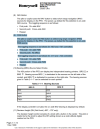
No idea if this manual has any relevancy to your aircraft (Primus 1000, Citation Ultra manual), but on page 2-1-14, you'll see:
1775774728981.png

It sounds like the left-seat PFD is normally driven by one GTN, and the right-seat PFD by the other. You can swap which GTN feeds a given PFD by pressing the FMS button (on the -611 or -723 controller).

As for figuring out which GTN is actually selected if you lose track of the button presses, I don’t see a clear answer in the manual. The PFD just shows “FMS” as the source, regardless of which unit is driving it. According to the manual, it doesn’t label FMS1 vs FMS2, which is a bit odd considering it does distinguish NAV1/NAV2 or ILS1/ILS2.

In practice, if the two GTNs aren’t cross-synced, you could infer which one is active by looking at the HSI, whatever flight plan, course, or waypoint the PFD is showing should match the GTN that’s currently driving it.

Operationally, even though the GTNs tend to feel like a single system when they’re synced, they’re actually independent. On power-up, each PFD is tied to its respective side by default. If one GTN were to fail, you’d likely lose usable guidance on the PFD tied to it until you switch that PFD over using the FMS button.

Disclaimer: I haven’t flown this setup.....just piecing it together from the manual.
 
Last edited:
hard to see the photo, but possibly.
I'll check that out on Monday.
There is nothing in our documentation about pressing the FMS button twice.
What indication do you have to tell you which 750 you are on when using FMS?
The Nav button, yes. It was like that before the 750's.
Thanks for the helpful replies.
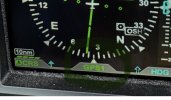
On the Primus 1000 it will show which source is being displayed above and to the right HSI part of the PFD. Sorry I have not flown with the 5000 system.
 
turns out, this install did not provide any means for #2 750 to provide nav info to any display in the airplane.
it’s just a (underutilized) display.

I was at recurrent and the very Garmin- savvy instructor experimented with it and that was his conclusion.
Then, a DPE who was also very familiar gave a type ride in the plane… same conclusion.
 
Last edited:
IMHO, the original installer just wasted your second GTN 750. Surely it can be modified to allow it to supply information. Heck, my humble GI 275 allows me to select my navigation source (GPS1, GPS2, or Nav Radio).
 
Unfortunately, Garmin removed real sandboxing capability from the GTN series. The choices are automatic sync and no sync. The manual sync the GTN was capable of isn’t there. Closest we can come to true dual GTN sandboxing is creating a flight plan in the #2 catalog.
I'm pretty sure you can still set the GTN to manually crossfill. It is probably not in the User settings but in the Configuration, so you may need to go to a avionics shop if you don't know the menus.

ADDED: Confirmed with Garmin Chat it is no longer an option. Either On (which is Auto) or Off.
 
Last edited:
I'm pretty sure you can still set the GTN to manually crossfill. It is probably not in the User settings but in the Configuration, so you may need to go to a avionics shop if you don't know the menus.
I checked into that back in January with a local avionics shop and they confirmed the GTN is either on or off.
 
you can set our flight plans crossfill to on, or off.
(doing so never allowed the capability of navigating with #2 though.
I guess I can save the owner some $ by not renewing the db updates for #2?
 
What indication do you have to tell you which 750 you are on when using FMS?
Here is what the indication looks like on my Aspen PFD:

1779114264245.jpeg
I can cycle this through GPS1, VLOC1, GPS2, and VLOC 2, and it tells me what drives the HSI (and thus the autopilot). Hard to imagine a scenario where you can switch sources between 1 and 2 (or left and right) without an annunciation of which one is active, so if your setup really has no annunciation of any kind, maybe the HSI is hard-wired to one of the GTNs. In that case, failure of that GTN would require using the on-screen CDI on the backup GTN for course guidance - no HSI, and therefore no autopilot NAV mode from that GTN.

One way to find out is to switch off (on the ground) one GTN at a time and see what you're left with in terms of HSI indication.

- Martin
 
One thing you can do is to connect your airplane to a GPU on the ground, and pull circuit breakers for each 750 (or other equipment) to see how things fail or degrade. Make sure you do it outside of a hangar, so that you can get a GPS signal. You might find that the two 750s are slaved together, but that only one of them is interfaced with the HSI, like Martin says. Or you might find some other surprises. I experienced a GPS loss of integrity in flight once, and was pretty caught off guard by learning that my autopilot disconnected when the GPS input went away. Also, while each 750 has its own integrated GPS hardware, the two 750s can also interface with other equipment that ARE external to the 750. For example, there might be only one audio unit or transponder unit that can be driven by either 750. Or there could be multiple transponders, and each one is integrated with only one 750. There’s many ways the installer or an owner might want to mix and match, so it’s good to know how your particular setup works.
 
Back
Top