dynon com radio panel offline

FORANE

En-Route
Joined
Mar 7, 2013
Messages
4,457
Location
TN
Display Name
FORANE
Home Airfield
0a9
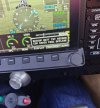
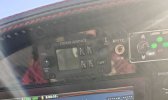
Occasionally on powering on I get the message "dynon com radio panel offline" and the com radio remains completely dark as if it wasn't powered on. When this occurs the radio remains off for the duration of the flight. When it powers on normally it remains powered on without issue for the duration of the flight. I had an electrician, 8 time RV builder, avionics installer check the installation. He assures me the wiring is good and suggests getting an RMA to send the com panel and com radio back to Dynon for evaluation because we've ruled everything else out.
Any suggestions before proceeding with that?
IMG20260423080904~2.jpgIMG20260423080901~2.jpg
 
Where are you located? If you’re local to north central FL, I could pop anouther one in there and see if that happens to it.
 
Where are you located? If you’re local to north central FL, I could pop anouther one in there and see if that happens to it.
Thank you for your kind offer Jesse. I'm in Northeast Tennessee above Asheville NC. It's a little far to drop in...
 
Just checking - your Com1 is a GTN 650, and your Com 2 is a Dynon? 1) Have you updated the software for the Dynon and the GTN lately?
 
Just checking - your Com1 is a GTN 650, and your Com 2 is a Dynon? 1) Have you updated the software for the Dynon and the GTN lately?
Yes, Com 1 is GTN650 and Com 2 is a Dynon. The Dynon screens are under a year old. I upgraded to HDX with new screens straight from Dynon in May last year. I had to RMA one of the screens because on an IFR flight the autopilot screen popped up on the 7 inch HDX screen and started commanding all sorts of stuff. Plane went into a dive. Had to turn off the autopilot. Turned out the touchscreen was sensing touches that weren't present. See video: https://drive.google.com/file/d/1jnsr-_fDA2GMGrWH6b4wFxvfHfDVnZTl/view?usp=drivesdk

The Dynon software was updated when installed around June 2025. The 650xi software is older though it seems unlikely to be related.
 
When did this start? How often? Can you make it go away by powering off and back on?
 
When did this start? How often? Can you make it go away by powering off and back on?
I've owned the plane for a year. The first time it happened to me was around December. It's happened about 5-6 times since. Sometimes power cycle does not fix it and a time or two it has fixed it after a couple power cycles.
 
My fuzzy crystal ball says there's something going on with the power supply inside that panel, and it's not starting/booting up properly.
 
My fuzzy crystal ball says there's something going on with the power supply inside that panel, and it's not starting/booting up properly.
By panel you're referring to the Dynon com panel, correct? If so that's what my friend thinks too and I'm inclined to believe it as he has a bunch of experience installing and flying these Dynon systems.
 
My fuzzy crystal ball says there's something going on with the power supply inside that panel, and it's not starting/booting up properly.
Part of the power supply is the ground connection, which can sometimes get dirty. Just sayin'.
 
Stupid stuff like what you are experiencing and below have always had me apprehensive about Dynon.

Update: March 18, 2016

The following bulletin is superseded by the March 29 2016 SkyView Software 14.0 Technical Service Bulletin. The information on this page is provided for historical reference only.
A series of test versions of version 14.0 were released for SkyView pilots willing to assist Dynon Avionics to identify this issue by installing test software, flying the test software, and providing feedback and diagnostic logs. From the feedback and diagnostic logs, Dynon Avionics was able to reproduce and resolve the issue.

A secondary issue with version 14.0 was also identified - “brief interruptions in communications” with SkyView devices, such as AP going offline, COM radio going offline briefly, and PFD displayed a Red X briefly. From the feedback and diagnostic logs submitted for this issue, Dynon Avionics was also able to reproduce and resolve the issue.

Both issues were resolved in version 14.0.7.3621, which was released March 10, 2016. All pilots providing feedback for both issues were advised to install that version, and there have no further reports of either issue.

The fixes in version 14.0.7.3621 will be incorporated with other fixes and updates into version 14.1.0.xxxx, which is expected to be released within two weeks.

 
Did you do any of the tests suggested in Dynon forum?
 
Did you do any of the tests suggested in Dynon forum?
At the plane now. I did check the network status and everything is online. Of course the com panel didn't fail when I checked it. I'll try again today to see if it will fail.
 
Just tried powering it up a dozen times and it didn't fail. Hard to troubleshoot when it doesn't fail.
 
Back
Top