Building a flight sim for a beginning student pilot (and me)

brec

Filing Flight Plan
Joined
Nov 3, 2025
Messages
8
Display Name
brec
Hi! First post. Some background: I'm a lapsed ATP. I haven't been in a cockpit for a dozen years. My wife just started training for her PPL. As a result, I've got the flying bug again to the extent of wanting to be able to fly day VFR in the C172s she's training in. I'll need some dual, of course; and I have an appointment in three weeks for a BasicMed physical exam. But I'm a computer guy, software, mostly and I was captivated by some youtube videos of MS Flight Simulator in action. I also read "Cleared for the Option: A Year Learning to Fly", which is a great read that includes descriptions of MSFS sessions and how helpful they were in the author's PPL training. I thought it would be cool if my wife could use a realistic sim and that it could be fun for me, too.

My plan is to put together an as realistic as possible physical C172 panel and controls, not using the sim software's video panel, with three 55-inch 4K TVs for the front and sides windows. I've just finished building a PC with a liquid-cooled Intel i9-14900K CPU, 96 GB RAM, and a liquid-cooled RTX 5090 GPU. I'm just about to install Ubuntu, followed by X-Plane. I'm persuaded that X-Plane's superior aircraft dynamics offsets MSFS's superior scenic accuracy. But it's a newbie (me) thus persuaded.

For the left side of the instrument panel I'm looking at the `Cessna 172 Gen2 Flatscreen Panel` from Altimeter Motives. They outsourced the software for it and say it may require OS Windows, and not merely Windows-compatible hardware, but I could download the software to see if it runs with Ubuntu. I also have a list of candidates for yoke, pedals, throttle/mixture/flaps, trim, radio stack, etc.

I'd welcome any comments about any of this.
 
I have an appointment in three weeks for a BasicMed physical exam
Might want to look at the recent mosaic change to regulations and save your money (and potentially a very large complication) by canceling that appointment.
 
Might want to look at the recent mosaic change to regulations and save your money (and potentially a very large complication) by canceling that appointment.
Hmm. I have a driver's license so I can be a Sport Pilot in a C172?
 
Hmm. I have a driver's license so I can be a Sport Pilot in a C172?

Yes, read carefully the limitations. If you qualify for BasicMed, there’s no harm/foul going that route.

Now, if you need an SI to qualify for BasicMed because of a heart attack, psychosis, epilepsy since your last medical, well then MOSAIC is for you.

BasicMed is between you and your PCM, no AME involved and if your PCM won’t sign, it’s not a medical so you can still fly under DL privileges.

As for the sim stuff, Real Sim Gear makes some nice peripherals and XPlane 12 is just as viable a platform as MSFS.

There’s a lot of neat things that can be done with android tablets and arduino stuff nowadays.

I run XP12 with dual G5s and a GTN650 as a procedural trainer for the 172 I’m a partner in and am trying to source the instrumentation for GI-275s since I occasionally fly a plane with those.

Good luck and welcome back.
 
I'm persuaded that X-Plane's superior aircraft dynamics offsets MSFS's superior scenic accuracy. But it's a newbie (me) thus persuaded.
lol no. The flight dynamics of these apps is laughable.

Instead of throwing money at a glorified PS5 rent some real aircraft time. I've played MSFS since 8 bit computers and even today with current gen tech its still just a game. You WILL learn bad habbits and you WILL waste time trying to learn anything from these games.

Even with head tracking, pilotaware, and top tier controls its not very close to the real thing. Its just not. Most of the top end sim guys (you know the ones with airline cockpits in the garage) are flying a jet that basically goes stright.

You're dumping like $5k on glorified playstation... GO RENT A REAL AIRCRAFT AND LOG REAL TIME. Even under MOSIAC you could fly in a drivers license. That hasn't changed. But if you do go SP be aware of its limits.

Lastly, just run windows. Linux on the desktop is still trash (started with linux back when you needed a boot and root floppy disc, ran my ISP off of 4 slackware servers). 3rd rate drivers, no support, just wasting your time on an OS rather than being productive. I still run half a dozen RHEL servers for clients and as a headless server linux is great. But you always run into the fact that many apps for linux are merely uni students projects for graduation... that quickly and unexpectidly die. Printing and bluetooth is still garbage (and scanning) and systemctl and network manager are just pure evil. lastly linux is usually the last in line for vendor support. JUST.RUN.WINDOWS.
 
Last edited:
If he qualifies for BasicMed, what complications would there be?
I admit I have never had a basic med evaluation so I have zero experience in what it entails or it’s consequences if they find a problem, but I have never taken a well running car to shop to ask them to find any problems either…. With the OP’s stated goal and experience it seems to me to be a waste of money for a visit that is no longer required to fulfill his flying goals.
 
Flying the basic sims are NOT like flying a plane. If you're going to go on and get IFR current again, then I'd get something like X-Plane to practice the procedures. They are great for that!

Otherwise, I'm with @pfarber, just use the money to poke some holes in the sky and get use to the VERY DIFFERENT sight line of landing a 172 vs whatever heavy metal you were in before. Remember you just step out of the door of a 172 onto the ground... no skybridge or stairs! :D
 
55" TVs for the windows on a 172?

For a truly realistic sim, try 19" TVs for the side windows and maybe a pair of 27s for the front with a beach ball in front of them to represent the cowling. ;)
 
Or do like a coworker did and build a 737 sim with a fully functional cockpit in his garage cave....
 
First, that sounds like a monster system you are building (or have built). It should handle just about anything.

Second, and I may be wrong about this, but I have always heard that while a Flight Sim is great for IFR training and currency, it is not so great for initial PPL training. Unless perhaps if you get one of those sims that can mimic the actual feelings one gets during maneuvers, like NASA and the airlines have. Even with IFR it has it's limitations, like when practicing actual stick and rudder training.
 
lol no. The flight dynamics of these apps is laughable.

Instead of throwing money at a glorified PS5 rent some real aircraft time. I've played MSFS since 8 bit computers and even today with current gen tech its still just a game. You WILL learn bad habbits and you WILL waste time trying to learn anything from these games.

Even with head tracking, pilotaware, and top tier controls its not very close to the real thing. Its just not. Most of the top end sim guys (you know the ones with airline cockpits in the garage) are flying a jet that basically goes stright.

You're dumping like $5k on glorified playstation... GO RENT A REAL AIRCRAFT AND LOG REAL TIME. Even under MOSIAC you could fly in a drivers license. That hasn't changed. But if you do go SP be aware of its limits.

Lastly, just run windows. Linux on the desktop is still trash (started with linux back when you needed a boot and root floppy disc, ran my ISP off of 4 slackware servers). 3rd rate drivers, no support, just wasting your time on an OS rather than being productive. I still run half a dozen RHEL servers for clients and as a headless server linux is great. But you always run into the fact that many apps for linux are merely uni students projects for graduation... that quickly and unexpectidly die. Printing and bluetooth is still garbage (and scanning) and systemctl and network manager are just pure evil. lastly linux is usually the last in line for vendor support. JUST.RUN.WINDOWS.
I actually agree with this in principle. In a perfect world I'd fly enough to maintain IFR currency and proficiency, but the reality is there's a number of variables (my schedule, distance to the airport, finding a safety pilot, lack of flyable IMC, yadda, yadda) that conspire to make getting enough hours problematic. Consequently, I do find an FAA-approved sim (AATD or BATD-- I own a Redbird TD) the best option for me for staying IFR current and proficient than actual flying.
 
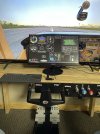
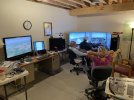
You can go crazy with this stuff. The monitor in front of the screen is a touchscreen. The panel matches our 182RG exactly. To adjust a knob, you tap it and twist the knob above the yoke. Works well for instrument proficiency. A couple clicks and my friend is sitting in his Bo in front of it...easy peasy. XP12...

It's a work in progess. The full-scene pic is 4 years old...

Jim

71147718148__23666CC9-9CDE-4CEB-BC78-4E939EE3CDAD.jpegIMG_0098.jpeg
 
Last edited:
Carenado T210...de-rated a bit. Custom panel....Air Manager
 
Last edited:
Hi! First post. Some background: I'm a lapsed ATP. I haven't been in a cockpit for a dozen years. My wife just started training for her PPL. As a result, I've got the flying bug again to the extent of wanting to be able to fly day VFR in the C172s she's training in. I'll need some dual, of course; and I have an appointment in three weeks for a BasicMed physical exam. But I'm a computer guy, software, mostly and I was captivated by some youtube videos of MS Flight Simulator in action. I also read "Cleared for the Option: A Year Learning to Fly", which is a great read that includes descriptions of MSFS sessions and how helpful they were in the author's PPL training. I thought it would be cool if my wife could use a realistic sim and that it could be fun for me, too.

My plan is to put together an as realistic as possible physical C172 panel and controls, not using the sim software's video panel, with three 55-inch 4K TVs for the front and sides windows. I've just finished building a PC with a liquid-cooled Intel i9-14900K CPU, 96 GB RAM, and a liquid-cooled RTX 5090 GPU. I'm just about to install Ubuntu, followed by X-Plane. I'm persuaded that X-Plane's superior aircraft dynamics offsets MSFS's superior scenic accuracy. But it's a newbie (me) thus persuaded.

For the left side of the instrument panel I'm looking at the `Cessna 172 Gen2 Flatscreen Panel` from Altimeter Motives. They outsourced the software for it and say it may require OS Windows, and not merely Windows-compatible hardware, but I could download the software to see if it runs with Ubuntu. I also have a list of candidates for yoke, pedals, throttle/mixture/flaps, trim, radio stack, etc.

I'd welcome any comments about any of this.
Back at my desk....easier to type additional responses to the OP....

Your set-up will be similar to what we've done with the TV's.... works great~

PCs...you're going to be under-gunned with one PC. We have one per screen. Try it....YMMV.

Linux....yes! We use Linux Mint on both the side screens, and aux's. Windows on the main screen only because we have an add-on that requires it. Mint lets me control it, it doesn't try to control me. (Back-ground...I go back to Unix on reel-to-reel, still have a copy of DOS 1.1, and started with the pre-release version of original Windows).

I know nothing about Altimeter Motives but highly recommend Air Manager for building panels. They have a set of pre-built panels, including the 172, that you can modify. It works cross-platform, Linux and Win at the same time for us, and has almost any instrument you could want. Like anything, there's a learning curve, but a free downloadable test copy.

Controls...if you're serious bite the bullet. Redbird is the way to go, IMHO. The yoke has 180 degrees of 'twisty' motion and the fore-aft throw is within a half inch of our 182s. Check this before purchasing others.

X-Plane....concur that X-Plane is the best option for flight dynamics. The graphics are good enough that my jet-jock wife will go fly around an area she's not familiar with in the sim, just to get a feel for what's where in the area before she makes the trip in the jet. There's an excellent X-Plane forum....use the knowledge to your advantage before making expensive mistakes.

Have fun!

Jim
 
I did look, and I'm now planning to cancel the appointment! Never had a medical application denied or revoked, don't want to fly at night -- good to go!
Sure you never want to fly with more than one passenger?
 
I admit I have never had a basic med evaluation so I have zero experience in what it entails or it’s consequences if they find a problem, but I have never taken a well running car to shop to ask them to find any problems either…. With the OP’s stated goal and experience it seems to me to be a waste of money for a visit that is no longer required to fulfill his flying goals.
If you have zero knowledge or experience with BasicMed or what it entails, why would you even comment?
 
If you have zero knowledge or experience with BasicMed or what it entails, why would you even comment?
“With the OP’s stated goal and experience it seems to me to be a waste of money for a visit that is no longer required to fulfill his flying goals.” ..As stated in my post you quoted.
 
“With the OP’s stated goal and experience it seems to me to be a waste of money for a visit that is no longer required to fulfill his flying goals.” ..As stated in my post you quoted.
Not really. The physical for BasicMed is essentially just a routine physical other than having the doc sign the form every 4 years (and of course you have to compete the online course every 2 years which only costs you some time). So if you get an annual wellness physical anyway, there’s really no waste of money. I’ve been BasicMed since its inception and have my next physical this coming May. It will cost me a $30 co-pay. The only downside is I can’t fly in Class A airspace or into Canada, both of which are non-issues for me.
 
Last edited:
While I'm sure that your wife's PPL goal was a fun excuse to build a ridiculously powerful gaming PC, I would caution you that while home PC flight sims have their place, that place is not to teach the stick-and-rudder monkey skills of flying an aircraft. The law of primacy is very real, and it's possible to ingrain some very bad habits in a sim that will be difficult to unlearn in a real aircraft and may rear their head again in times of stress. Personally, I wouldn't advise a PPL student to touch a simulator until they have at least a few real lessons under their belt. After that, the sim should be viewed as high-tech chair-flying and NOT as a substitute for flying practice.

IMHO, sims excel at two things: procedural practice (including EPs) and (more recently) as a decent VFR preview for cross-countries. No matter how much they crow about flight models, I have yet to fly anything in a sim which feels even remotely close to the real world experience. No matter how much money we throw at our gaming rigs and screens, it won't be "realistic". It's fun to fly around and goof off, but it doesn't translate.

However, having the autopilot fly everything is a game-changer for PC sim chair-flying, especially if you link your iPad with FF or GP to the sim so you can use it just as you would in flight. Running checklists, maintaining SA, navigating, thinking about "what's next?", and flying approaches (for IFR practice) can be hugely valuable. For new IFR students who have already developed their flying skills, sims can be useful for practicing their scan (especially detecting failures). Sims can also be useful with services such as Pilot Edge or VATSIM if there's some nervousness about talking to ATC.

Finally, the newer versions of MSFS are excellent for VFR cross-country familiarization, significantly more so than X-Plane. I recently flew a coast-to-coast XC and flew the mountain-region route in MSFS 2020 several times, navigating with linked Garmin Pilot on my iPad. When the time came to actually fly it, I felt as though I was actually familiar with the route. The topography, landmarks, and airfields were all spot-on. Ironically, the newest PC flight simulators may be one of the best practice options for the oldest of pilot navigation skills: pilotage! In fact, I think MSFS has a number of pilotage challenges which might be valuable.
 
Let me add my vote to "go fly a real plane". The flight sim sounds like a fun project, but turn away from the temptation.

Spend your money on ForeFlight, fancy tablets for the cockpit, Stratus 4 ADSB In, etc. Plenty of tech goodies to scratch your IT itch LOL. Buy the Sporty's on line PPL course to kick off the rust to keep the enthusiasm up.

IF there is nothing to disqualify you from BASIC Med, then you might want to still get it to make things easier. You wouldn't have to worry about the MOSAIC restrictions, you can get IR current / retrained, etc. Just thinking of how to take advantage of your past ATP work.
 
I use X- Plane. FWIW, I was MSFS since the 80s but they blew it in 2020. I switched to X-Plane and ain't goin back.
For VFR / Stick and Rudder it probably isn't helpful but for Instruments it is absolutely a very useful tool.

I travel for work and I have an X-Plane setup on some slim equipment that can be easily packed. I bought an accurate model of the plane I fly and it allows me many iterations that I wouldn't get in the real world. I did the same for my instrument training. Shoot the approach, reset and do it again and again for free. For instruments, buttonolgy, descent planning, etc. It is a solid tool to build technique and troubleshoot mistakes on your last flight.

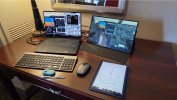
The little blue game pad is just for the flare after kicking the AP off. The laughable size of it kinda reinforces the notion that this is not a real tool for stick and rudder flying.


1763826689037.png
 
I bought an accurate model of the plane I fly and it allows me many iterations that I wouldn't get in the real world.
Was it custom configured or did you find one that just happened to match? I've got one that is *close* to my plane, but I'd prefer it to be closer. I always thought there would be a business for configuring planes the way you wanted it, sort of a broker for all the planes and parts where you pay all the designers a royalty to use there whatever in a custom panel/plane.
 
Was it custom configured or did you find one that just happened to match? I've got one that is *close* to my plane, but I'd prefer it to be closer. I always thought there would be a business for configuring planes the way you wanted it, sort of a broker for all the planes and parts where you pay all the designers a royalty to use there whatever in a custom panel/plane.
For my instrument training I was in an SR22 they're pretty standard so I had one that was dead on. For my job I fly the 175 so again I have a model that's dead on.
 
Hi! First post. Some background: I'm a lapsed ATP. I haven't been in a cockpit for a dozen years. My wife just started training for her PPL. As a result, I've got the flying bug again to the extent of wanting to be able to fly day VFR in the C172s she's training in. I'll need some dual, of course; and I have an appointment in three weeks for a BasicMed physical exam. But I'm a computer guy, software, mostly and I was captivated by some youtube videos of MS Flight Simulator in action. I also read "Cleared for the Option: A Year Learning to Fly", which is a great read that includes descriptions of MSFS sessions and how helpful they were in the author's PPL training. I thought it would be cool if my wife could use a realistic sim and that it could be fun for me, too.

My plan is to put together an as realistic as possible physical C172 panel and controls, not using the sim software's video panel, with three 55-inch 4K TVs for the front and sides windows. I've just finished building a PC with a liquid-cooled Intel i9-14900K CPU, 96 GB RAM, and a liquid-cooled RTX 5090 GPU. I'm just about to install Ubuntu, followed by X-Plane. I'm persuaded that X-Plane's superior aircraft dynamics offsets MSFS's superior scenic accuracy. But it's a newbie (me) thus persuaded.

For the left side of the instrument panel I'm looking at the `Cessna 172 Gen2 Flatscreen Panel` from Altimeter Motives. They outsourced the software for it and say it may require OS Windows, and not merely Windows-compatible hardware, but I could download the software to see if it runs with Ubuntu. I also have a list of candidates for yoke, pedals, throttle/mixture/flaps, trim, radio stack, etc.

I'd welcome any comments about any of this.

For what you’re trying to achieve, I’d recommend X-Plane because it’s extremely customizable. If you’re up for a bit of a challenge, you can even build your own 3D models so the simulator looks and flies like your actual aircraft. I documented the process a few years ago. It does require digging into the nuts and bolts of X-Plane, but it’s not difficult, especially for the technically-inclined. I used Blender, GIMP, and a few custom scripts to bring everything together.
 
I'm going to jump in to echo the thoughts of many above, and counter the experience of the reference you mention. A short summary of my background - sim pilot, RC pilot, sport pilot, private pilot. I didn't start either sim or RC as a pre-req or training for any of the others, I just did them for fun. PC based sims are great for practicing instrument approaches, somewhat good for practicing instrument flight, and the new ones are great for getting a feel for terrain of an area and pilotage.

In my view, again echoing much of the above, sims don't provide any measurable value in learning to fly in the pattern, in stick and rudder skills, or in the last 500 ft or so of landing. That's just me. I suppose it's possible to learn a bit of some of the basic maneuvers and how an aircraft flies, but I don't think it's close to efficient compared to being in an aircraft for those, even with it being less expensive.

Flying RC? A little slow electric trainer, flown as slow as you can fly it, I think does help teaching how to fly, but I don't know how time efficient it is.

If you want to build a sim for either fun or instrument training, I think that's a great idea, and I don't think you should discount 'fun' as an important factor. I'd suspect that for a lot of us, the fun part is the only reason we fly anything, and that's maybe the best reason.
 
msfs2024 is awesome for IR, i use it to keep my cloud flying in shape. Might actually be more challenging, i sim conditions in which i'd never fly my Mooney. also, lets be honest, simming??? 5 or 6 hours a week, far easier on the wallet.

ATC is horrendous, hopefully they'll get round to sorting it sooner or later.

For PPL, hmm, i think it's realistic enough that you could get some value, esp with you being an ATP and supervising.
 
[BasicMed comments elided]

As for the sim stuff, Real Sim Gear makes some nice peripherals and XPlane 12 is just as viable a platform as MSFS.

There’s a lot of neat things that can be done with android tablets and arduino stuff nowadays.

I run XP12 with dual G5s and a GTN650 as a procedural trainer for the 172 I’m a partner in and am trying to source the instrumentation for GI-275s since I occasionally fly a plane with those.

Good luck and welcome back.
Thanks! After reading all the responses here to date, I've given up any idea of my sim's utility for stick 'n' rudder training, but retain the idea that it will be useful for procedural and IFR training. I didn't emphasize enough that the sim is really for my wife. I now hope it may be useful for her after she solos for pilotage (MSFS, I guess) and later as an IR student (X-Plane). M'self, I'm content with occasional day VFR. I never flew at night enough to become comfortable with it. Oh, yeah, the ATP: I have the card and one type rating, but I never flew commercially.

I've been seesawing between a traditional steam gauges six-pack left panel and one with dual Garmin G5s, PFD & HSI, in place of the AI & DG. I'll go with the G5s.
 
Let me add my vote to "go fly a real plane". The flight sim sounds like a fun project, but turn away from the temptation.

Spend your money on ForeFlight, fancy tablets for the cockpit, Stratus 4 ADSB In, etc. Plenty of tech goodies to scratch your IT itch LOL. Buy the Sporty's on line PPL course to kick off the rust to keep the enthusiasm up.

IF there is nothing to disqualify you from BASIC Med, then you might want to still get it to make things easier. You wouldn't have to worry about the MOSAIC restrictions, you can get IR current / retrained, etc. Just thinking of how to take advantage of your past ATP work.
The thread title's parentheses around "and me" didn't function as I'd intended. Whatever training value the sim may have will be for my wife. For me it will be for fun and for being its test pilot.
 
For what you’re trying to achieve, I’d recommend X-Plane because it’s extremely customizable. If you’re up for a bit of a challenge, you can even build your own 3D models so the simulator looks and flies like your actual aircraft. I documented the process a few years ago. It does require digging into the nuts and bolts of X-Plane, but it’s not difficult, especially for the technically-inclined. I used Blender, GIMP, and a few custom scripts to bring everything together.
Thanks -- I've added the link to my software notes.
 
The thread title's parentheses around "and me" didn't function as I'd intended. Whatever training value the sim may have will be for my wife. For me it will be for fun and for being its test pilot.
I’d send the wife up on discovery flight/get her a few lessons in that case.
 
The discovery flight and several weeks of dual are behind us.

A couple of things to think about in the display department. XP12 includes VR support; I’ve used my wife’s Oculus and it’s very much a different experience visually.

On the other hand, something like TrackIR also provides a realistic way of looking around the cockpit. Both options have their benefits and drawbacks, but both also are an improvement over a single monitor set up.

As your wife progresses toward cross country and towered airport operations, there’s a service by PilotEdge that can be useful as a training tool, allowing focused training with an unlimited number of at bats while also incorporating two way comms with an ATC service that’s good enough the FAA uses it as a warm-up tool for Oshkosh controllers.
https://www.pilotedge.net/pages/cat-ratings. One of the beauties of their service is you can review the syllabus ride, watch someone demo it, then fly it asynchronously without even signing up.

You’ve already identified the strength of flight sims; procedural training. There’s actually more of that in the Private Pilot path than most think. Preflight to lining up for takeoff is highly procedural as is anything checklist related, so pretty much every phase of flight transition can be addressed. Even the mundaneness of tuning COM2 for ATIS and copying it down while inbound to the pattern can be practiced.

Gaining a better understanding of navigation is also something that can be done. VOR and GPS navigation and how that ends up being displayed - intercepting a radial, flying a course, EFB usage, what visual checkpoints look like from the air- are all things that can be done in a 1g/zero airspeed environment to supplement/enhance/reinforce live training. Helpful to have a CFI that can advise when to integrate the sim during training.

Then, while she’s airborne, you can jump into to whatever plane you want to fly and do what you want to do.
 
A couple of things to think about in the display department. XP12 includes VR support; I’ve used my wife’s Oculus and it’s very much a different experience visually.

On the other hand, something like TrackIR also provides a realistic way of looking around the cockpit. Both options have their benefits and drawbacks, but both also are an improvement over a single monitor set up.

As your wife progresses toward cross country and towered airport operations, there’s a service by PilotEdge that can be useful as a training tool, allowing focused training with an unlimited number of at bats while also incorporating two way comms with an ATC service that’s good enough the FAA uses it as a warm-up tool for Oshkosh controllers.
https://www.pilotedge.net/pages/cat-ratings. One of the beauties of their service is you can review the syllabus ride, watch someone demo it, then fly it asynchronously without even signing up.

You’ve already identified the strength of flight sims; procedural training. There’s actually more of that in the Private Pilot path than most think. Preflight to lining up for takeoff is highly procedural as is anything checklist related, so pretty much every phase of flight transition can be addressed. Even the mundaneness of tuning COM2 for ATIS and copying it down while inbound to the pattern can be practiced.

Gaining a better understanding of navigation is also something that can be done. VOR and GPS navigation and how that ends up being displayed - intercepting a radial, flying a course, EFB usage, what visual checkpoints look like from the air- are all things that can be done in a 1g/zero airspeed environment to supplement/enhance/reinforce live training. Helpful to have a CFI that can advise when to integrate the sim during training.

Then, while she’s airborne, you can jump into to whatever plane you want to fly and do what you want to do.
I've given my wife an excerpt from your reply about `pilotedge.net`.

Meanwhile before going *too* far down the sim-build road I'm on I think I should learn more about VR, or what seems likely more realistic to me, MR. Can a VR headset be used for the out-the-windows view while permitting the user to view the physical panel and controls?
 
I've given my wife an excerpt from your reply about `pilotedge.net`.

Meanwhile before going *too* far down the sim-build road I'm on I think I should learn more about VR, or what seems likely more realistic to me, MR. Can a VR headset be used for the out-the-windows view while permitting the user to view the physical panel and controls?

Yes.

ETA: just a random video search result.

 
Back
Top