
- Joined
- Jan 9, 2013
- Messages
- 2,595
- Display Name
- Jon
- Home Airfield
- KCMA
Ok, this is new to me. Is this something we as owners can do are do we need to get it to authorized Garmin dealer?

You can do the update yourself. Login to fly.garmin.com and go to your aircraft, select the gps175, additional software for your GPS175, Authorized content, Software, 006_b3353_0e_a.zip. Extract the zip and run the .exe on a Windows computer or inside a VirtualBox if running on Linux. Then place the SD card in your GPS175 and power it on, it should auto bring up the update screen.Ok, this is new to me. Is this something we as owners can do are do we need to get it to authorized Garmin dealer?

I disagree. The owner can update the database but updating the operating system requires, and I quote for Garmin's website "The operating software on certified avionics must be updated through an authorized Garmin Dealer or an OEM Service Center." Why? Because an OS update changes the functionality of the unit.You can do the update yourself. Login to fly.garmin.com and go to your aircraft, select the gps175, additional software for your GPS175, Authorized content, Software, 006_b3353_0e_a.zip. Extract the zip and run the .exe on a Windows computer or inside a VirtualBox if running on Linux. Then place the SD card in your GPS175 and power it on, it should auto bring up the update screen.
That may work for a GPS175, but I believe the GNC355 and GNX375 are different animals. Plus, what @murphey said.You can do the update yourself. Login to fly.garmin.com and go to your aircraft, select the gps175, additional software for your GPS175, Authorized content, Software, 006_b3353_0e_a.zip.
This also fixes the issue with the vertical guidance described in Service Alert 26050. We don't want you flying into a mountain.grrr, my 355 works perfectly, i need none of that. I don't have an axis, don't have an xi to update from, don't care about a fs510

I'd plan for one hour of the avionics tech's time, based on my previous updates. I usually get them done during annual, since there's no requirement to immediately update anything. And I think you can't update the underlying software for the same reason you can't screw around with the internals of a traditional steam gauge: you might introduce an error which affects the functionality of the device. Part 91 doesn't get us out of this one, I'm afraid.For planning purposes, how long should this take a Garmin dealer? And, is "mandatory" the same as TBO limits for part 91?
I don't use vnavThat may work for a GPS175, but I believe the GNC355 and GNX375 are different animals. Plus, what @murphey said.
This also fixes the issue with the vertical guidance described in Service Alert 26050. We don't want you flying into a mountain.
No, we owners cannot do software updates per the FAA (not a Garmin decision) if you own a Certified Aircraft.You can do the update yourself.

Perhaps Garmin and/or FAA care more about what you could do rather than what you actually do.I don't use vnav
I can change, delete and add to the FAA airman database by sending a request. I cannot change the underlying database software (DBMS) because I don’t have access to it. Even if I did have access, licensing policy prevents unauthorized changes. Only the authorized DBAs can update/change the DBMS ( which I have a sneaky suspicion is SQLserver). The process is pretty much the same. Of course I’d make a duplicate first, which I can’t do on the GPS, which annoys me no end.I'd plan for one hour of the avionics tech's time, based on my previous updates. I usually get them done during annual, since there's no requirement to immediately update anything. And I think you can't update the underlying software for the same reason you can't screw around with the internals of a traditional steam gauge: you might introduce an error which affects the functionality of the device. Part 91 doesn't get us out of this one, I'm afraid.
I get the logic, but it does feel a little bit crazy that I can update all of the data for the device, but not the software version, even though the procedure is precisely the same.
agree, but i'm more scared of something bricking/breaking the plane than continuing to fly something that perfectly meets my needsPerhaps Garmin and/or FAA care more about what you could do rather than what you actually do.
According to the FAA (https://www.faa.gov/sites/faa.gov/files/2023-08/ServiceBulletins_AircraftOwner.pdf) Service bulletins are not mandatory for part 91, unless they are included in an AD. Still, it's generally a good practice to do them.For planning purposes, how long should this take a Garmin dealer? And, is "mandatory" the same as TBO limits for part 91?
According to the FAA (https://www.faa.gov/sites/faa.gov/files/2023-08/ServiceBulletins_AircraftOwner.pdf) Service bulletins are not mandatory for part 91, unless they are included in an AD. Still, it's generally a good practice to do them.
If it's a GNX375, the part 43 appendix A preventive maintenance list has a carve-out for transponders.Follow up question, can we take the unit out, and drop it if on a Monday, and pick it up on a Friday, that is should the Authorized Garmin Dealer have bench set up to where they can power the unit up, do the install, etc.....
I don't believe Garmin will stop you from updating your Databases, as long as your subscription is current.But... will Garmin allow you to do database updates beyond the SB completion date?

grrr, my 355 works perfectly, i need none of that. I don't have an axis, don't have an xi to update from, don't care about a fs510
No, we owners cannot do software updates per the FAA (not a Garmin decision) if you own a Certified Aircraft.
If you own an Experimental Aircraft, then you would be able to do the software update.
If I may, I think you might perhaps be making a bigger deal of this than it deserves. It's just a software version update. This means two things:Follow up question, can we take the unit out, and drop it if on a Monday, and pick it up on a Friday, that is should the Authorized Garmin Dealer have bench set up to where they can power the unit up, do the install, etc.....
But... will Garmin allow you to do database updates beyond the SB completion date?
So everybody waits and because nobody's flying the new version there are no new bugs to be found. And then the 1/29/2027 deadline rolls around...Many people will wait to do an update until it has been out for a while, just to ensure there is time for the new "bugs" to be found and corrected.

And everything would be totally fine, since it's an arbitrary, unenforceable deadline from a company with no authority to issue it to Part 91 pilots.So everybody waits and because nobody's flying the new version there are no new bugs to be found. And then the 1/29/2027 deadline rolls around...

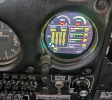
Oh crap. So sorry to see that for you. Post up on how you got this fixed. Appreciate the heads up - I for one will now definitely wait a bit before doing any software updates.And everything would be totally fine, since it's an arbitrary, unenforceable deadline from a company with no authority to issue it to Part 91 pilots.
But there will be plenty of early adopters. Just ask me how I know the most recent software on the GI 275 still needs a bit more attention. Haha!
It's fixed now. Was very weird. Would sometimes do it on start-up, sometimes not. Would resolve after several master on/off cycles, or the X's would slowly resolve as systems came online. Super weird. My avionics tech tried a couple of reinstalls with no joy. Garmin ended up advising a reversion to an earlier software version and then updating again to current. That seems to have fixed it for now.Oh crap. So sorry to see that for you. Post up on how you got this fixed. Appreciate the heads up - I for one will now definitely wait a bit before doing any software updates.
If I may, I think you might perhaps be making a bigger deal of this than it deserves. It's just a software version update. This means two things:
1. Garmin can write MANDATORY and a date all as much as they like, but their Service Bulletins don't have any regulatory authority for Part 91 flying, so you can get the update done by your local avionics tech whenever you choose and if you choose. Many people will wait to do an update until it has been out for a while, just to ensure there is time for the new "bugs" to be found and corrected.
2. This is literally just a software update which can be done via portable media. No need for you to touch anything in your panel. If you're not going to wait for your annual to do it, maybe schedule ahead with your avionics guy and go get lunch while he's doing the update.
Previous firmware updates didn't have MANDATORY written on it and were covered under an extended warranty. This one is all backwards.1. Garmin can write MANDATORY and a date all as much as they like, but their Service Bulletins don't have any regulatory authority for Part 91 flying, so you can get the update done by your local avionics tech whenever you choose and if you choose.
