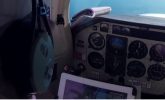
Best size of iPad for small aircraft use?

Kenny Phillips

Final Approach
Joined
Jul 29, 2018
Messages
6,572
Display Name
Kenny Phillips
I intend to get a cellular-enabled iPad* (I'll assume my medical will finally come through) and everyone I'm flying with (instructors, as no medical) has a mini.
However, my Samsung full-sized tablet is getting old and slow, so I'm considering one of the larger iPads.

Price is no concern, but size in the cockpit is.
Anyone use a larger iPad in a 172/182 or similar sized aeroplane? Does it get in the way?


*It seems these are the only ones with a GPS system built in, and I want that.
 
I intend to get a cellular-enabled iPad* (I'll assume my medical will finally come through) and everyone I'm flying with (instructors, as no medical) has a mini.
However, my Samsung full-sized tablet is getting old and slow, so I'm considering one of the larger iPads.

Price is no concern, but size in the cockpit is.
Anyone use a larger iPad in a 172/182 or similar sized aeroplane? Does it get in the way?


*It seems these are the only ones with a GPS system built in, and I want that.
IMO a Mini 5-6-7 is the best size for a small aircraft.

My buddy who fly's for Southwest brings his company issued larger I pad when we fly together. It's a PIA, one of us has to hold it in our laps to use it. It spends some of the time on the back seat and then when we need it someone has to hold it, whoever is not flying the plane.

My first 2 mini i pads didn't have cellar and don't need it if you have ADS-B in. My i pad got weather and traffic from either the thing you suction cup on the window and now it get's it from my transponder with ADS-B in.
Cellar does not always work in the air.
 
I concur, an iPad mini is all I need. I mount mine to the control wheel. I did get a cellular capable model although I have no account for it; I did it for an additional GPS source for Foreflight.
 
I've been using iPads in flight for a bit over 15 years now. Before I moved to a Mini (which didn't exist when I started). I had what where then full-size iPads - 9.7 inches. I like the space saving of the smaller Mini, but I never had a problem with placement of the older model. Below is a photo (partial) of a 9.7" iPad attached to a Mooney yoke. I wouldn't have a problem with up to an 11" Pro , and can see some advantage to it (like using it in landscape mode) but, having seen pilots with larger ones, think they are a bit too cumbersome. An exception may be based on avionics. If everything you need is displayed on the panel, the need to have the tablet available all the time decreases.

I can't really comment on the cellular part except to say I've never owned a cellular iPad and have never missed not having it.

1774537965077.png
 
My cellular iPad Mini (cellular enabled but not connected) works perfectly for me. But, then again, I have an Ercoupe with a very small cockpit.
 
Wow, a consensus. Thanks!
Note that Apple now only includes GPS in their iPads with cellular. I may or may not get the cell service, but I want the GPS as an emergency nav source.
 
Wow, a consensus. Thanks!
Note that Apple now only includes GPS in their iPads with cellular. I may or may not get the cell service, but I want the GPS as an emergency nav source.
Mini works fine, but I run an Ipad air in landscape mode in both our 172 and 182 just fine.

As for the internal GPS, just…don’t. Get a portable ADSB In w/ADAHRS instead. That way, you get a reliable 3D solution and traffic in your EFB.
 
@masloki uses some kind of giant ipad pro thingy in his mooney. It's about the same size as the instrument panel.

I'm a mini guy (ironically). About the same size as a traditional approach plate and nestles in between the yoke arms nicely.

Apple has always only had GPS on cellular models AFAIK. I skipped it on my mini, as I always have my 10" Samsung tablet in my flight bag, which has both cellular and GPS, and will work as a backup if necessary. The mini is strictly for use in the plane; I wouldn't bother to take it home if I had internet in my hangar.
 
Wow, a consensus. Thanks!
Note that Apple now only includes GPS in their iPads with cellular.
FIFY.

The very first iPads were Wifi only. GPS capability was added to the cellular version which came out later that same month (about a year before I bought my first). GPS capability was always tied to the cellular version.
 
One thing you might want to consider: this fall Apple will be coming out with an iPhone Fold. That could be the perfect size for what we do.

I’ve tried the 12” iPad (way too big in the airplane) and the iPad mini, and my phone. I tend to use my phone more than anything because it’s always with me.
 
Ipad Mini A17Pro for 6mo now
Veamor silicone protector
The Liberty cell service has been inexpensive, reliable, indispensable
(even with my iPhone)
 
Just to drive the point home. Get a mini.
I bought the full size ipad and I regret on every flight.
 
As for the internal GPS, just…don’t. Get a portable ADSB In w/ADAHRS instead. That way, you get a reliable 3D solution and traffic in your EFB.

Plus most of the portable ADSB are WAAS.
 
The difference between an iPhone and an iPad is going to be the contextual awareness. Which basically comes down to being able to see some of the map while doing something else. For example, being able to view a checklist, your current route, other menus, etc.

The difference between a iPad mini and a larger iPad is going to be a difference in scale. More map and more available space for your secondary windows
 
I started with a full-sized iPad Air, and it took one flight to realize that it was entirely too big. I purchased a Mini and haven't looked back. I have the cellular version with Google Fi (which I run on my phones too), since Google will send you a free sim and the iPad can ride on the main plan's data for no extra charge. Very useful for getting final briefing updates, sending SFRA flight plans before preflight, and otherwise getting data in situations where WiFi isn't available. In flight, it hooks into the avionics via BlueTooth and gets updates via the GNX-375 and GI-275. Not to mention that the two big EFBs are fully optimized for iPads (and I say that as a long-time Android user). My full-size iPad is for flight planning and media consumption now.

Get the Mini.
 
I use a Mini in the Mooney. Company gives us full-size iPads in the jet, and even there it feels too big, though that might be the giant honkin' Pivot case they put them in.

I'd get a Mini, unless you really need the screen to be larger because you haven't been to the optometrist in too long. ;)
 
i have both an ipad mini 6 and an ipad air, never use the air. heck never use the air at home anymore, always pick up the mini.
def get the cell model, it's just super convenient, esp if you get a cheap plan with it. my whole flight bag is basically mini, headset and batteries.
 
I started with a Mini 2 with cellular, changed to a 9.7" iPad 6 (no cellular), and now I fly with a Mini 7 (no cellualr). Of course Apple had something to do with these transitions as they discontinued iOS updates on older devices. Neither of the last two have I spent the money on cellular, I just never used it. I always had an iPhone and the iPad could hotspot with the iPhone when I needed data. And I linked to my Stratus for GPS and ADS-B when I needed it. But one thing that influenced the choice when transitioning was moving from renting steam gauge C172's to buying a G1000 DA40. Before owning glass panels, I relied more on my full-sized iPad for details that I can now find easily on the G1000. Which is what the FAA wants anyway - using your primary nav instruments as primary for navigating. If I was still flying steam gauges, though, I would probably still have a full-sized iPad. The other consideration is your seat. The DA40 has fixed seats and I can just set the iPad (full size or Mini) between my left thigh and the side of the cockpit when not in use. There is no chance of it slipping down between the seat and door as in a C172. I always needed a mount or knee board to hold an iPad in a C172.
 
Last edited:
I use a 12.9" ipad with a Foreflight Sentry. I like the big screen.
 
One thing you might want to consider: this fall Apple will be coming out with an iPhone Fold. That could be the perfect size for what we do.
Oh reeeeeeeaaaaallllly?

Color me skeptical. There have been rumors of that for YEARS. It's right up there with the Apple TV, the Apple Car, and other supposed projects that have been investigated and killed if they even existed at all.

I'll believe it when I see it.
 
Oh reeeeeeeaaaaallllly?

Color me skeptical. There have been rumors of that for YEARS. It's right up there with the Apple TV, the Apple Car, and other supposed projects that have been investigated and killed if they even existed at all.

I'll believe it when I see it.
LOL! One thing that suggest there will actually be a folding iPhone is the current existence of a folding Samsung.
 
iPad mini on the yoke guy. I just replaced my 10 year old one with as the old one was vintage enough that updates were not compatible. Not sure what I'll do in the Cirrus but with a flight stream in it I suspect I'll use my kneeboard on my right knee (I'm left handed). Bought an Apple pen with it so we'll see how that works.

UK2dLB2.jpeg
 
Oh reeeeeeeaaaaallllly?

Color me skeptical. There have been rumors of that for YEARS. It's right up there with the Apple TV, the Apple Car, and other supposed projects that have been investigated and killed if they even existed at all.

I'll believe it when I see it.
Yeah, I am / was too.

My understanding is that this is more for the PAC market than US. Supposedly the Asian Tik-Tok-ers love their Z fold... Which is about twice the price of an iPhone Pro. Go figure
 
I don't use i-platform and don't want to derail, but in terms of size for someone renting I've used and like 8" to 9.5" diagonal tablets. To me that's a good balance between visibility and not having it get in the way. I do have a phone that I can use as a backup reference for awareness, but it's a little small to read an approach plate on.

Just popped in to say that the answer would maybe vary for someone flying their own aircraft or a club plane where they can use a mount, or a rental where it's in your lap, and probably different for someone flying VFR and IFR.
 
Been using a large (~11") iPad for many years, and find it's usually a real PITA when used as the only iPad. Especially when flying with a front right seat passenger. Flying alone with the right front seat unoccupied it's fine. This large iPad has cell service which is very handy filing flight plans when WiFi is not available.

A couple of years ago obtained an iPad Mini (WiFi only), but still bring the large iPad along too. Built a self-made floor mount for the Mini, it's centered just in front of the panel pedestal, well forward of the seats and within easy viewing distance. Mounted around 12" off the floor approaching knee level, it's a PITA to push the Mini's buttons. So most of the time it's kept on the pedestal displaying the moving map screen (with terrain, airspace, airports, NEXRAD and magenta line). Mounted off the floor with a 9" extended RAM ball mount, it's is quick and easy to remove off the RAM mount and place on my right thigh, or hold in one hand when the buttons need to be worked with the other hand.

By keeping the Mini locked in the vertical portrait mode there's no need to rotate it around. Held in a hand, I find it great for viewing NEXRAD, and checking weather up ahead when needed. While disconnected off the RAM and viewing approach plates, I dislike pinching the Mini in and out for viewing, and instead grab the large iPad for approach plate use. For upcoming approaches, the Mini it's placed back onto the mount, and I bring the large iPad up front.

The large iPad is kept stored within arms reach on the right front seat (when unoccupied), or in the back (floor, rear platform or right back seat) depending upon how the seats are configured. No need to adjust the screen to magnify the small print like on the mini. Since the approach plates are seldomly needed there's no need to keep the large iPad anywhere near front and center until an approach is imminent. Then, placing the large iPad onto my right thigh works out just fine during an approach.

Two iPads eliminate any internal arguments I've had about which one is the best during cross-country trips. For me, it's all about ease of operations needed to obtain the information wanted, exactly when I need to see it. Learned that using both is the sweetest solution!
 
I have the larger iPad. The thin Targus flip case is kind of nice, I can tuck it around my leg enough to hold it securely. It’s kind of a kneeboard that way. Plates are nearly full size. But it does require a lot of looking down, unlike a yoke mount. I rent, so coming up with a one-size fits all solution for that size means it stays on my lap or the right seat.

I used to have an Android tablet that worked very well when suction cupped to the side window. That got through my instrument rating very well. When that wore out, I got the larger iPad knowing that >90% of its life was going to be spent doing anything but flying.

If I had to do it over again, I would probably make the same choice. But if I had 2 iPads I would most likely use the mini for flying.

But, for VFR, the larger display shows the bigger picture better than needing to zoom. So there is definitely a tradeoff.
 
Mini works fine, but I run an Ipad air in landscape mode in both our 172 and 182 just fine.

As for the internal GPS, just…don’t. Get a portable ADSB In w/ADAHRS instead. That way, you get a reliable 3D solution and traffic in your EFB.

External GPS may be fine if you only fly that same airplane, but if you are moving from airplane to airplane it is just one more thing to move every time you switch airplanes.
You also have one more thing to power up and make sure is connected to the Ipad.

On the other hand the ADSB In feature is nice to have.

Brian
CFIIIG/ASEL
 
LOL! One thing that suggest there will actually be a folding iPhone is the current existence of a folding Samsung.
So when do you expect the Apple Refrigerator to come out? Samsung makes those too... ;)

But seriously - Unless Apple finds a way to get rid of the ugly crease in the screen on the folding devices, they won't do it.

Bought an Apple pen with it so we'll see how that works.
It's great for copying clearances and drawing red lines over closed taxiways on the airport diagram.

I’ll derail…..

Anything bigger than an iPhone is overkill.
For VFR only, maybe. For IFR, I disagree, and so does the FAA - Anything too small to read an approach plate with the full thing showing on screen doesn't count as an EFB. AC 120-76E, 11.13.3, Screen Size Considerations: "... the screen should be large enough to show the instrument approach procedure (IAP) chart with a degree of legibility and clarity equivalent to the paper chart being replaced."

Also, 11.3 Legibility: "Information displayed on the EFB should be legible to the typical user at the intended viewing distance(s) and under the full range of lighting conditions expected on an aircraft..."

But yeah, for IFR, having just a phone becomes an impediment.
 
Last edited:
I do use a 9" Ipad, but I use it for a lot more than just flying. When flying I use it more like I used to use a map or approach plates.
It sits on my left leg when I want it. If doing complex flying in the IFR environment I will often have a notepad on my right leg.

But I can switch airplanes 6 or more times per day so mounting it really isn't a good option in most planes

Brian
CFIIG/ASEL
 
giant ipad pro thingy in his mooney
iPad Air…it is negative drag on the Mooney for increased fuel efficiency.

I had the mini before and it has lots of merits, size primarily. For a long while, the Mini was a couple generation behind the Air, and cost about the same which doesn’t work in my cheapskate brain. The Air fits on my yoke in landscape orientation, and have found it nice to split-screen ForeFlight and news, notes, music, or whatever else that extra real estate gets me on a long flight.
 
Let me give a better answer to the OP. Here's what you should consider:

• Viewability of the iPad vs. viewability of any instruments, switches, or other controls behind it
• Mounting: Leg, yoke mount, suction cup, panel mount, or if loose, where do you stash it in an emergency to keep it from being a projectile
• Mounting again: Ensure that there is no blockage of flight controls, no chance of injury to people in an emergency, and that it doesn't impede egress in an emergency.
• Mounting again again: Ensure that you're not putting it in a place where it'll be subject to direct sunlight for long portions of a flight, or if it is, make sure you have a way to move it and cool it down if necessary.
• Heat: In addition to mounting, put it in a place where you can give it adequate airflow for cooling. I have an air vent by my left knee that I point directly at the yoke mount on hot days.
• Power: Ensure that cables can't get in the way of flight controls, catch switches, etc. Also, since charging (as opposed to just using power) causes more heat, try to start with the iPad fully charged and keep it plugged in for the entire flight; if it overheats then maybe consider unplugging it for the rest of the leg and charging on the ground.

Then, pick whatever size iPad you can meet all of the above criteria with.

If you really want to go above and beyond to ensure you're doing the right things, read AC 120-76E, the FAA's guidelines for commercial operators using EFBs. It goes far beyond the four-page part 91 AC on the subject, and still has lots of good considerations for us little guys to think about.
 
Here's what you should consider:

• Viewability of the iPad

All good points! Also consider reflections on the screen from bright sunlight. That was one of the reasons I mounted my mini down low (in front of an air vent) and not onto the yoke. Probably not much of an issue with high wing aircraft.
 
I find I very rarely use an iPad on the flight deck anymore. I'm almost exclusively using the largest iPhone instead. Screen is big enough to give me everything I need in flight. For flight planning on the ground, I get the iPad back out and find the bigger screen useful for displaying more information, panning and searching around.
 
All good points! Also consider reflections on the screen from bright sunlight. That was one of the reasons I mounted my mini down low (in front of an air vent) and not onto the yoke. Probably not much of an issue with high wing aircraft.
It's not just where you mount it, but where it's pointing. The angle of incidence equals the angle of reflection! So, in my Mooney, I yoke mount it and it points pretty much straight at my face, or maybe a little down. Probably fine if I don't wear a white shirt on a sunny day. ;)

But, speaking of heat and battery life, always keep the iPad at the lowest reasonably-readable brightness setting. Screen backlight is the primary user of power, keeping it off of full will make your battery last much longer and keep the iPad from heating up as much.
 
I use a Mini in the Mooney. Company gives us full-size iPads in the jet, and even there it feels too big, though that might be the giant honkin' Pivot case they put them in.

I'd get a Mini, unless you really need the screen to be larger because you haven't been to the optometrist in too long. ;)
I got lens implants a year ago, due to cataracts, and can "read the fine print" with my right eye. Field deficits in my left eye (trauma+glaucoma) has my medical delayed, hopefully temporarily (the FAA requires far more testing than your ophthalmologist is likely to do.)
But I can see a Mini, just kinda wanted a single device for all uses.


It's not just where you mount it, but where it's pointing. The angle of incidence equals the angle of reflection! So, in my Mooney, I yoke mount it and it points pretty much straight at my face, or maybe a little down. Probably fine if I don't wear a white shirt on a sunny day. ;)

But, speaking of heat and battery life, always keep the iPad at the lowest reasonably-readable brightness setting. Screen backlight is the primary user of power, keeping it off of full will make your battery last much longer and keep the iPad from heating up as much.
Speaking of that, Apple may have an OLED screen in the new Mini. With a dark background that should tremendously increase battery life.

Mini works fine, but I run an Ipad air in landscape mode in both our 172 and 182 just fine.

As for the internal GPS, just…don’t. Get a portable ADSB In w/ADAHRS instead. That way, you get a reliable 3D solution and traffic in your EFB.
Does everyone go to Stratus for that, or are there "off brands" (which are half the price) that are as functional?
 
But I can see a Mini, just kinda wanted a single device for all uses.
If it helps, my Mini (and it's predecessors) is for general usage. It's even replaced traveling with my laptop - I don't think I've taken my laptop anywhere for at least the past 10 years unless it was to do a presentation or update the database for our club airplanes.

Does everyone go to Stratus for that, or are there "off brands" (which are half the price) that are as functional?
There is a wide variety of compatible units. Most of the airplanes I fly will connect to my iPad but for those which don't )and as backup), I have an old XGPS170D I bought used on eBay 4 years ago. Position, weather, and traffic. No AHRS. Works just fine with all the EFBs I've used.

On the low end cost wise is the DIY Stratux, which became popular about a decade ago.

The one thing to be aware of is compatibility. Units sold by Foreflight only work with Foreflight. That's also true of Stratus units before the Stratus 3 (a partnership between the two companies at the beginning). Most everything else pretty much works with everything.
 
Mini. The 11” iPad Pro get snagged by the yoke when I turn it. When testing either on the knee. Don’t want it between yoke, blocks the hsi somewhat that I need for approach.
 
I use a mini, in a pivot mount, and suction cupped to the window to my left. No issues.
 
Back
Top