mandm
Avionics Upgrade
Just wanted to share this in case anyone is pondering a panel upgrade.
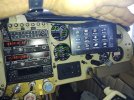
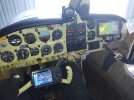
I of course had the option to have the co-pilot panel side blank and clean with all Garmin avionics, since I have a Garmin Aera 760 already, I decided to panel mount it. One of the drawbacks with the Garmin G3X is the number of accessories that you can connect to it directly. With my setup, I ran out and was unable to connect the Aera to my G3X/650 to push flight plans and frequencies back and forth, however I was able to connect it to aircraft power and ADSB-in which proves useful.
My setup and Aera 760 is already prewired so that a smaller G3X 7” could be easily retrofitted in the future with the existing setup, if desired.
On a recent flight, my Bluetooth was acting funny on my G3X, so I reset my Bluetooth settings and this time, I connected the Aera to the G3X via Bluetooth with automatic reconnect function enabled on both devices. And now everytime I have a flight plan from my 650, it automatically and instantly loads it into my G3X and Aera 760. I haven’t tried the reverse way yet, but I’m pretty happy with this.
One thing about the Aera 760, was that it was displaying ground speed instead of IAS/TAS (now this is before the G3X and Aera were bonded via Bluetooth so I need to check if this is updated the next time I fly if it’s been updated - the Aera is a bit too small to use for airspeed indicator and attitude compared to the G3X), so I use my G3X as primary instruments and I typically use my Aera for traffic (since I’ve been flying from the right seat lately). It’s a very nice screen for traffic and I look forward to using it for terrain when flying out west in the future.
Some more food for thought, now I have my phone and foreflight connected to the Garmin GTN650, but I’m not really seeing the push flight plan from foreflight to the 650 (foreflight offers this when connected to the G3X or Aera) nor do I see foreflight updating with the latest flight plan from the 650. Sometimes the 650 would have a message bubble with a flight plan available for import but this usually comes a couple minutes after I updated my foreflight and I’m looking for instant gratification here. This was sort of working when my phone was connected to the G3X, I can’t remember but I thought the Aera only liked to be connected to one Bluetooth device at a time, but I can play with this again next time I fly.
I of course had the option to have the co-pilot panel side blank and clean with all Garmin avionics, since I have a Garmin Aera 760 already, I decided to panel mount it. One of the drawbacks with the Garmin G3X is the number of accessories that you can connect to it directly. With my setup, I ran out and was unable to connect the Aera to my G3X/650 to push flight plans and frequencies back and forth, however I was able to connect it to aircraft power and ADSB-in which proves useful.
My setup and Aera 760 is already prewired so that a smaller G3X 7” could be easily retrofitted in the future with the existing setup, if desired.
On a recent flight, my Bluetooth was acting funny on my G3X, so I reset my Bluetooth settings and this time, I connected the Aera to the G3X via Bluetooth with automatic reconnect function enabled on both devices. And now everytime I have a flight plan from my 650, it automatically and instantly loads it into my G3X and Aera 760. I haven’t tried the reverse way yet, but I’m pretty happy with this.
One thing about the Aera 760, was that it was displaying ground speed instead of IAS/TAS (now this is before the G3X and Aera were bonded via Bluetooth so I need to check if this is updated the next time I fly if it’s been updated - the Aera is a bit too small to use for airspeed indicator and attitude compared to the G3X), so I use my G3X as primary instruments and I typically use my Aera for traffic (since I’ve been flying from the right seat lately). It’s a very nice screen for traffic and I look forward to using it for terrain when flying out west in the future.
Some more food for thought, now I have my phone and foreflight connected to the Garmin GTN650, but I’m not really seeing the push flight plan from foreflight to the 650 (foreflight offers this when connected to the G3X or Aera) nor do I see foreflight updating with the latest flight plan from the 650. Sometimes the 650 would have a message bubble with a flight plan available for import but this usually comes a couple minutes after I updated my foreflight and I’m looking for instant gratification here. This was sort of working when my phone was connected to the G3X, I can’t remember but I thought the Aera only liked to be connected to one Bluetooth device at a time, but I can play with this again next time I fly.