JesseWeather

The 0 knot problem could be dealt with by a discontinuous graph, dropping out those sections of direction where the speed is 0. I agree that showing wind direction on this sort of graph is very difficult.

Well a wind speed of zero in my opinion should be graphed as zero. Dropping it would produce a wind speed chart that didn't accurately reflect the conditions for the specified time-frame. If the speed was zero I could try to roll back in time and find the previous wind direction and set it to that. But really the direction is zero.

The best thing I can think to do with teh direction is to label some of the datapoints on the chart with the numerical direction and maybe an arrow. The trick is figuring out how to do that.
 
Well a wind speed of zero in my opinion should be graphed as zero. Dropping it would produce a wind speed chart that didn't accurately reflect the conditions for the specified time-frame.

The best thing I can think to do with teh direction is to label some of the datapoints on the chart with the numerical direction and maybe an arrow. The trick is figuring out how to do that.
I agree that the speed should be graphed as 0, but the direction doesn't exist and shouldn't be charted. OTOH, I don't know how the graphing libraby you're using would deal with missing data points. It would be reasonable to set the direction as the average of the previous and subsequent readings.

Edit: Think of a wind vane. It doesn't suddenly point to north in the absence of wind. It stays pointing at the previous direction.
 
Well..wind direction just sucks. There isn't really a good way to display it over time. At a specific moment in time..easy..over time..no

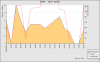
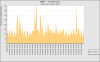
I did a whole bunch of trickery and was able to produce a graph like this:
12


That seems pretty good..It goes to crap though if you graph a bunch of data
168


I can either leave wind like it is -- or I can remove the direction. Unless someone can think up a good way to graph direction on a time-based graph that isn't a huge amount of work.
 
gprellwitz said:
1) I think you said that the times were in Zulu. Probably should note that on the graphs somewhere.
Done.
gprellwitz said:
3) No reason to include seconds on the axes. And the yead could probably be shortened to 2 digits!
Times should be much nicer now..and linear.

gprellwitz said:
4) You give units for most of the axes except pressure. It's obvious, but... (I agree, wind direction doesn't need units)
Units cleaned up.

gprellwitz said:
5) Be nice if you could enter another location without having to hit the Home tab.
I'd like to have it where you can add tabs and close tabs with different reports and switch around in them. This will come ..someday. Not as high on the priority list as some other items.

gprellwitz said:
And an enhancement: If you have data containing the name of the location (and knowing you, you have it somewhere!), print that as a double-check that they entered the right identifier. Also, display the date/time of the most recent data pull so the user knows how fresh the data are.
I don't currently have any data about the airport. Right now I've just got one big-ass table with three columns (date, identifier, metar). Some new ideas I have though will require airport data..so this wil come.

wildwobby said:
How about a density altitude graph? I guess one could interpret one based on the fact that there is a barometric pressure and a temp. graph, but it would be a cool feature.
I like that. In the works.

SCCutler said:
Also, for stations which are not "K" airfields (ie, T82), you have to slap a "K" on the front to make it work. Hard to fix?
Fixed. The data from the NOAA actually has a K for airports like T82..all of them have a K. If you don't put a K on now I just shove it on.
 
I'm coming to the conclusion that I should have essentially two weather views. "Now" and "Trends".

I've built the Trends part it seems

If you wanted a snapshot of all the "Now" data for an airport -- what would all that data be? Be creative
 
What's going on in this graph?


attachment.php
 

Attachments

  • 24.png
    24.png
    11.4 KB · Views: 130
Well..wind direction just sucks. There isn't really a good way to display it over time. At a specific moment in time..easy..over time..no

I did a whole bunch of trickery and was able to produce a graph like this:


That seems pretty good..It goes to crap though if you graph a bunch of data


I can either leave wind like it is -- or I can remove the direction. Unless someone can think up a good way to graph direction on a time-based graph that isn't a huge amount of work.

Can you plot the wind direction just as discrete points with a symbol like a '*'? That would avoid the (somewhat deceptive) lines zooming back and forth between 35x and 0x degrees.
 
Yeah. The direction indication really is a problem. I'm trying to come up with a good way to fix it.

I know ADDS or such had it. You put a direction arrow at each data point and use the scale for windspeed.
 
I don't currently have any data about the airport. Right now I've just got one big-ass table with three columns (date, identifier, metar). Some new ideas I have though will require airport data..so this wil come.
I have mysql tables of US airports (see http://areeda.com/aptInfo/) sorry you have to register, this is a home DSL so I'm not trying to build traffic.

It uses the FAA data from http://www.faa.gov/airports/airport_safety/airportdata_5010/ Right now I have to download it manually, then use a java program to build the tables. I'll put a mysql dump of the data into the same account as the historical metar cycle files.

Note that all metar sites are not airports. For example KMWS is an AWOS (I think) at Mount Wilson Observatory.

May I suggest the now picture be extended to have a then (any date/time in the db). Probably the most work I can think of would be:

  • Specify a Metar identifier, a distance, date and time
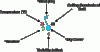
  • Draw a chart where each station is depicted as it is in the Surface analysis format
attachment.php

Hmm, that image comes from NWS and is missing Dew Point and SLP.

I know that's a lot of work, I can probably help but I don't have too much time as I (stupidly) volunteered for a non-aviation Open Source project. However I should be done with that in a few weeks or a couple of months.

Joe
 

Attachments

  • stationplot_awc.gif
    stationplot_awc.gif
    3.5 KB · Views: 116
Thanks Joe -- I've downloaded all your data. I'm still shoving the METARS into my database (which now has a table with 25 million rows).

I also imported your airport data (only using the identifier, elevation, and lat/long).

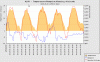
Having the elevation means I can now graph density altitude..which is pretty cool I think:
24

The density altitude takes into account the: pressure, temperature, dew-point, and elevation.

If your airport identifier does not show density altitude it is because my database does not have the elevation for it. Let me know and I can add it.

Lots of ideas yet coming.. I need to fine-tune and cleanup the trend view..and then start working on the "now" with the "then" concept Joe mentions. Keeping the UI easy will be the largest challenge.
 
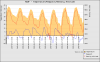
This is kind of an extreme case. Not may places see temps of 37 with dewpoints of -4 (which is actually mild at Willie J. Fox (KWJF) in August).

I wonder if different axis specification might look better.

Great job Jesse.

Joe
attachment.php
 

Attachments

  • 168.png
    168.png
    18.6 KB · Views: 203
I noticed that was possible last night Joe..I'll try and get it fixed.
 
Joe,

Fixed that problem. Was kind of a PITA to figure out. It seems the library won't do a fill below a negative value....:

24


I've been working on the performance -- its pretty fast now. Lots to do yet :)
 
Last edited:
Something's changed- graphs show up as little squares on a blackberry now, I used to seem them fine. It worked up to yesterday afternoon/evening
 
Fixed that problem. Was kind of a PITA to figure out. It seems the library won't do a fill below a negative value....
I was curious what would happen if the temperature was negative. I guess the fill goes the other way.

attachment.php
 

Attachments

  • ScreenHunter_01 Aug. 20 07.49.gif
    ScreenHunter_01 Aug. 20 07.49.gif
    18.1 KB · Views: 177
Got an error: "Fatal error: Call to a member function getMetar() on a non-object in /var/www/virtual/jesseweather.com/html/application/controllers/weather.php on line 119"

Suggest a check for null, in case some wierdo asks for a date range beyond whats in the db.

Also, Thank you for the Visibility graphs. Which leads me to ask for a new feature, SMS Alerts.

Given that you can do anything how about I have the ability to set a condition like Vis > 20sm && MaxWinds < 30kts, ping my cell phone with a text from St. Michaels Hosp ER, that says "Mary in accident, come quickly". Sender and message should be user specified.

Joe

attachment.php
 

Attachments

  • EMT-July09Visibility.png
    EMT-July09Visibility.png
    12.6 KB · Views: 177
Something's changed- graphs show up as little squares on a blackberry now, I used to seem them fine. It worked up to yesterday afternoon/evening

Working again as of noon today CST...Thanks!
 
Got an error: "Fatal error: Call to a member function getMetar() on a non-object in /var/www/virtual/jesseweather.com/html/application/controllers/weather.php on line 119"
There must be some bad data somewhere. I'm not sure where though. The queries are written in a way that'll let you send any date range and it won't care. It just provides the response if it can. I added an is_object check in my data access utility though that should resolve it.

I plan on adding a feature tonight that'll let you pick your timezone -- also the ability to pick Fahrenheit over Celsius for the Celsius challenged (me).

SMS alerts would actually be pretty cool. I'd set them so that it would alert me when it was good IFR to go play with approaches.

Edit: Found the problem...If the metar didn't contain any wind data -- I had a sanity check that would return FALSE in a spot. Nothing was really paying any attention to that FALSE and assumed it was an object. Mixed this around a bit -- should be better now.
 
Last edited:
There must be some bad data somewhere. I'm not sure where though. The queries are written in a way that'll let you send any date range and it won't care. It just provides the response if it can. I added an is_object check in my data access utility though that should resolve it.

I plan on adding a feature tonight that'll let you pick your timezone -- also the ability to pick Fahrenheit over Celsius for the Celsius challenged (me).

SMS alerts would actually be pretty cool. I'd set them so that it would alert me when it was good IFR to go play with approaches.

Edit: Found the problem...If the metar didn't contain any wind data -- I had a sanity check that would return FALSE in a spot. Nothing was really paying any attention to that FALSE and assumed it was an object. Mixed this around a bit -- should be better now.

The only problem is that SMS is expensive...unless you use the e-mail -> SMS gateways of the phone providers.
 
Time zones are now supported along with Celsius or Fahrenheit. Here is an example in Central time with Fahrenheit:
1251082810


Unit preferences are done via cookies. Your settings will remain provided you don't delete the cookies. I think this works nicely because it allows you to set preferences without the hassle of logging in or creating an account.
 
Ceilings/layers. Abscissa is time, ordinate shows the altitude. Put a grey or white line at the altitude. Use another line and the right axis for coverage maybe?


Abscissa? Man, I haven't seen that word in AGES!!!!
 
Time zones are now supported along with Celsius or Fahrenheit. Here is an example in Central time with Fahrenheit:
1251082810


Unit preferences are done via cookies. Your settings will remain provided you don't delete the cookies. I think this works nicely because it allows you to set preferences without the hassle of logging in or creating an account.

Hey, Jesse, does your graphing package support dual scales on one side of the graph? If you show both the Celsius AND the Fahrenheit scales on that left-side Y-axis, then the user doesn't have to select one and we can begin to absorb by osmosis the relationships between the two.
 
If you show both the Celsius AND the Fahrenheit scales on that left-side Y-axis, then the user doesn't have to select one and we can begin to absorb by osmosis the relationships between the two.

Hmmm.

Question, Troy. Just how long have the TAFs and METARs been published in Celsius? :rofl::rofl: And you haven't YET started that osmosis thing? :D
 
Hmmm.

Question, Troy. Just how long have the TAFs and METARs been published in Celsius? :rofl::rofl: And you haven't YET started that osmosis thing? :D

My osmosis has a slow leak. ;) When I'm actively flying, I remember the corollaries between the two. When I'm not, I forget them.
 
Osmosis doesn't work for me in this case. I lived in Europe for years and never developed a feeling for the Celsius scale. There is an accurate, do it in your head conversion for C to F. Double the C, Subtract 10%. Add 32.

10 C for example - X2 =20; -10% (2) =18; plus 32 = 50 F
 
There is an accurate, do it in your head conversion for C to F. Double the C, Subtract 10%. Add 32.

10 C for example - X2 =20; -10% (2) =18; plus 32 = 50 F
I use a similar but not so accurate and not so brain taxing conversion method.

10C x 2 = 20C + 30F = 50F
 
JesseWeather will now show TAF's on the graph if there is a current TAF issued for that airport. I think this is really damn cool because you can see the weather back in time, right now, and into the future -- all trended. This will occur for the ceiling, wind, and visibility graphs.

Examples
1252458018

1252458018

1252458018


I'm still tweaking this from a UI perspective. This is experimental at this point. If it seems busted let me know. (FYI--I do not pay any attention to TEMPOs in the taf yet..I will)

Enjoy :)
 
I added TEMPO(s). It may or may not work -- it might do something stupidly inaccurate. Who knows, appreciate feedback :D

I'm already aware that gusts show as the wind speed in the TAF / forecast part of the graph. still working on that

TAF(s) are sort of hard to parse..they are inconsistent and jump days, months, even years without indicating that in the TAF...which amounts to less than fun stuff to track.
 
I fixed a few other bugs with TAFs this evening:

  • Some times causing the graphs to completely bust
  • Visibility sometimes graphed in the hundreds of thousands of miles
  • Wind should now be graphed as wind in the taf and not a gust. gusts should now be graphed as well
Once again..this is all..still rather early :)
 
Back
Top