FastEddieB
Touchdown! Greaser!
- Joined
- Oct 14, 2013
- Messages
- 11,865
- Location
- Lenoir City, TN/Mineral Bluff, GA
- Display Name
- Fast Eddie B
- Home Airfield
- Big T Airport (80TN)
For many years I’ve been using Flickr to upload photos and then grab links from there to post images to forums. I’m using Safari on both Mac and iPad.
When I went to do that yesterday, I was informed I had hit a 1,000 upload limit, and would have to upgrade to Flickr Pro to continue, at about $5.50 a month billed annually. I tried deleting a bunch of photos from Flickr, but apparently that doesn’t affect my total upload count.
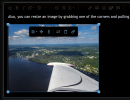
I wonder if there are other options. I have Google photos, but when I copy a link from there and paste it between “img” tags it doesn’t seem to work. I know on this site I can just copy from my Photos library and post here, as below. That doesn’t work on most of the other sites I frequent.
Any suggestions? Thanks in advance.

When I went to do that yesterday, I was informed I had hit a 1,000 upload limit, and would have to upgrade to Flickr Pro to continue, at about $5.50 a month billed annually. I tried deleting a bunch of photos from Flickr, but apparently that doesn’t affect my total upload count.
I wonder if there are other options. I have Google photos, but when I copy a link from there and paste it between “img” tags it doesn’t seem to work. I know on this site I can just copy from my Photos library and post here, as below. That doesn’t work on most of the other sites I frequent.
Any suggestions? Thanks in advance.