
GI-275 database expired nag

dcat127

Pre-takeoff checklist
Joined
Jun 30, 2020
Messages
205
Display Name
Electro
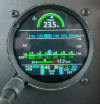
I don't really understand why I should be paying for updates to the GI-275 databases. But if I don't, every-time I power them on, I get a message alert letting me know it is expired. You can clear it by looking at the message, but it must be done on each separate unit, so I have to go through it 3 times. Is there any way of getting rid of this?
1740854945471.png
 
My 275’s in my last plane (primaries) synced with the GTN and each other. The backup 275 in my current plane also syncs with the G500/GTNxi. Make sure the Sync setting is active.

However, if you do not want to keep a current db in the unit, which I think is your question, I don’t think you can disable the message. Hopefully you prove me wrong.
 
The GPS I have is a 530w, perhaps that is why they don't sync.
 
The GPS I have is a 530w, perhaps that is why they don't sync.

Definitely no Sync between those units, unfortunately. I agree, the messages can be an annoyance. There was a bug in my last plane where the terrain db’s would not sync between the GTN and the 275’s. I had to load the terrain db’s to the 275’s separately with the USB port even with a Flightstream 510.:mad:
 
Last edited:
The addition in a "onePak" to include the GI-275 database download is like $90 extra per year.....it's not much in the scheme of things....sigh. The "expired database" warning was put there by the attorneys. That's not ever going away.
 
Hmm, I seem to be seeing different pricing than you are, perhaps it is because my gps is an older generation. I currently am only doing the Nav database updates for $299.00 per year. If I wanted to also do the GI-275 it would be an additional $245/year.

Even on the onePack, the 530w price is $449.00 and the onePack that includes the GI-275 is $669.00.

I mean I get it, its still not a major percentage of my expenditures, but I am none the less annoyed. If anything these nag alerts make me less safe, it would be easy to get into the habit of ignoring all alerts from the gi-275s.
 
ouch. Does it slow the AHARs "Keep wings level" period?
I've totally given up on the wifi updates, I pop the USB drive into the dongle and it's done in a few seconds.
But I think it's as AAM 200 sez: "yup boys it's official....we work for the attorneys".
 
Last edited:
Small piece of black electrical tape?
Unfortunately there are other alerts that get displayed in the same manner which I would like to know about. The alert icon is not obnoxious I can easily learn to ignore it, however that seems like a poor choice from a safety prospective.

The other day I ran over a cat in the ditch with my truck as I was struggling to hit the "I agree not to use this GPS while driving" icon on my GPS. Oh wait, that was a Garmin product as well. I'm so glad that Garmin is looking out for my well being, even if a cat must be sacrificed every now and then.
 
Back
Top