Transferring FF Flight Binders onto new device

Let'sgoflying!

Touchdown! Greaser!
Joined
Feb 23, 2005
Messages
21,872
Location
west Texas
Display Name
Dave Taylor
Home Airfield
KMRF
Previously, FF on iphone and ipad; Flight Binders appeared sync’d.
Swapped ipads and everything seems to have transferred except the Flight Binders.
Could not find answers in FF FAQs.
 
Settings do not sync in FF, so on the NEW iPad you need to go into the More Menu > Settings and type SYNC in the Search/Filter field at the top. Make sure Sync Date To/From Devices is turned ON.

Also WiFi works much better than Cellular Data, so when you're on a good WiFi network, go to the Flights and create some random Flight and do a Briefing. That should force the new iPad to reach out to the FF network and it should then sync all of your data. And sometimes it shows up instantly, sometimes it's not there at first and a few minutes later when you look again the data is there.
 
Last edited:
Hmm
Something is not working properly:
Checking both devices,
“Sync data to/from device” is already on, for both.
FF’s documents say it does sync binders when it’s on.
I have put in a request for assistance.
 
“Sync data to/from device” is already on, for both.
FF’s documents say it does sync binders when it’s on.
Okay, so if Sync is On on both devices then, in theory, the Binders should be in sync. So while you're waiting to hear from FF Support, I'd try the following:
- On both devices go to the More Menu > Account and Sign Out (at the bottom of the page)
- Close FF and any other Apps you have open
- Check for iPadOS updates and any App updates
- Shutdown both devices NOTE: The devices take 30+ seconds to shut down, it's not just when the screen goes black. So WAIT a bit.
- Turn both devices back on, and again pause a bit for the WiFi to connect
- Open FF and Sign In on both devices. Wait 30 sec or so and then go delete a Binder and the Recreate the Binder
- Wait a bit and then go check on the other Device
* If there happen to be any FF Database updates pending, do those too, then go check to see if the Binders came over to the new device

 
I did all that, it’s not syncing.
Those were good ideas - thanks.
 
I have ~45 flight binders to add
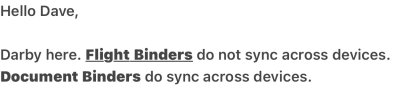
Well Darby's response makes it a pain. I could have sworn a year or so ago one of the updates said that Flight Binders would sync just like the Document Binders do. But but obviously not.

And I'm curious why 45 binders? Annotations on the plates or for some other reason? They are so easy to create, I usually only have one or two in my Flight Binder. Even if I need to go to an Alternate or just switch Airports for some reason, I just use the Send To Plates from the Map page once I've updated the Route and I have a new Binder with my new Destination.
 
Back
Top