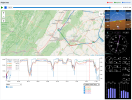
I didn't want to walk on Martin's Garmin Pilot post so I will ask a question here. I installed a Garmin Txi EIS system last year and, if GP is open during a flight, it will upload all logged EIS data to FlyGarmin.com when that device is connected to the internet. I have not been using GP except for DB updates but did open it for a couple of dozen flights to see if the upload feature works. It did/does however, when I open the aircraft logbook and load a flight, I can only view two data channels simultaneously on the graph. It allows one parameter scaling on the left side Y axis and another on the right side Y axis. It only allows me to select a single data channel for each parameter. For example, if I set the left Y axis for CHT, I can only display a single cylinder at a time; I can't display all 6 cylinders simultaneoulsy. When I pull up the .csv files, all the data channels on my aircraft have been logged and uploaded so the data is there. In my online searches I have seen depictions of using FlyGarmin what shows all 6 cylinder data channels so I know it is possible on their software but for the life of me, I can't get it to work. Any advice would be appreciated.