
You are using an out of date browser. It may not display this or other websites correctly.
You should upgrade or use an alternative browser.
You should upgrade or use an alternative browser.
IMac users
- Thread starter Tom-D
- Start date

Everskyward
Experimenter
- Joined
- Mar 19, 2005
- Messages
- 33,464
- Display Name
- Everskyward
Do you mean in Safari (the browser?) If so then in the toolbar on top click on View > Zoom in. Alternatively you can press the Command key plus the + symbol.running OSXLion
How to:
increse text size.
Go to Systems Preferences either by clicking the Apple icon at the top left of the screen > Systems Preferences, or the grey square box with the gears on the dock at the bottom, then "Desktop and Screensaver".Change desk top back ground.
I discovered that if you are coming from a PC that Macs have a bit of a learning curve.Computer illiterate has more computer than he can handle.

Tom-D
Taxi to Parking
- Joined
- Feb 23, 2005
- Messages
- 34,740
- Display Name
- Tom-D
So far I've found it similar, it's just a matter of which button does what, and where the files are kept. Much better movie editing and picture storing but sharing, not so much.
So far I have dumped the old dell's data pictures and movies into this machine and have .05% of the hard drive used.
So far I have dumped the old dell's data pictures and movies into this machine and have .05% of the hard drive used.
Everskyward
Experimenter
- Joined
- Mar 19, 2005
- Messages
- 33,464
- Display Name
- Everskyward
When you talk about sharing photos do you mean by email or sharing them on an online site? How are your pictures stored, as individual files or in an iPhoto or Aperture library?
Tom-D
Taxi to Parking
- Joined
- Feb 23, 2005
- Messages
- 34,740
- Display Name
- Tom-D
When you talk about sharing photos do you mean by email or sharing them on an online site? How are your pictures stored, as individual files or in an iPhoto or Aperture library?
I've been thru the process several times to get pictures attached to an E-Mail, it simply isn't as easy as the old MS method.
And in this site Mac users can't down load pictures from their mac, you need a off site url to refer to.
it's not that it can't be done.
Last edited:
Everskyward
Experimenter
- Joined
- Mar 19, 2005
- Messages
- 33,464
- Display Name
- Everskyward
You can just drag the pictures into the email from iPhoto or Aperture. I don't think it gets any easier than that.I've been thru the process several times to get pictures attached to an E-Mail, it simply isn't as easy as the old MS method.
You can still do it by using the "Manage Attachments" button or is that not what you mean?And in this site Mac users can't down load pictures from their mac, you need a off site url to refer to.

denverpilot
Tied Down
increse text size.
On Macs, the font size is usually handled by each individual application instead of by the system. However, if the application uses the default font sizes (rare), Tinkertool can change those:
http://bresink.de/osx/TinkerTool.html
Additionally, the key combination of COMMAND+SHIFT+PLUS SIGN (+) will "zoom" inside almost all applications, and COMMAND+SHIFT+MINUS SIGN (-) to go back down.
What kind of mouse do you have? If you're using a trackpad you can also "pinch to zoom", if you're familiar with that. Place two fingers down on the center of the trackpad and move them apart. Squeeze back together to un-zoom.
Side-note to your question, since I mentioned keyboard shortcuts: It's quite common for advanced Mac users to utilize a number of keyboard commands instead of the mouse.
There's a list of them here:
http://support.apple.com/kb/ht1343
I use OPTION+COMMAND+EJECT all the time, as one example, to put the machine to sleep.
They take a while to get used to, but they're a lot faster than reaching for the mouse or trackpad.
Change desk top back ground.
Go to System Preferences, then into Desktop & Screen Saver. Once in there, make sure you're on the Desktop tab at the top of the screen, then you'll see a Finder on the left where you can select from a number of pre-loaded Apple-provided images, or go to "Folders" and add a Folder of your own (for rotating images) or Solid Colors, etc.
Computer illiterate has more computer than he can handle.
Not a problem for someone who knows they're in over their head and willing to learn a few new tricks.

There's some good basic videos on various things that help new Mac users quite a bit here:
http://www.apple.com/findouthow/mac/
Holler if you need more help...

running OSXLion
How to:
increse text size.
Option-+ (hold the Option (Apple) Key and press + or - ) Also if you have the Zoom accessibility feature turned on (in System Preferences) you can press the CTRL key and zoom the whole screen in and out with the scroll wheel on your mouse.
Change desk top back ground.
Computer illiterate has more computer than he can handle.
System preferences - Display
You want to see why you a have Mac?
Run System Preferences. In the Spotlight search window next to the magnifying glass in the upper right hand corner enter "desktop" or "text size"
You can also use Spotlight to find System Preferences - or anything.
Face Steve Jobs and genuflect.
Last edited:

gkainz
Final Approach
You mean upload from the local Mac to POA? ... sure you can ...I've been thru the process several times to get pictures attached to an E-Mail, it simply isn't as easy as the old MS method.
And in this site Mac users can't down load pictures from their mac, you need a off site url to refer to.
it's not that it can't be done.
scroll down, Click Manage Attachments, pic a pic and click ...
Attachments

denverpilot
Tied Down
You mean upload from the local Mac to POA? ... sure you can ...
scroll down, Click Manage Attachments, pic a pic and click ...
Adding to this...
You have to click "Go Advanced" first on your reply here on PoA. Then "Manage Attachments" shows up at the bottom of the screen.
If you just reply from the thread, it's not there.
From there, Greg's got it... just pick a photo and upload it.
denverpilot
Tied Down
If you're talking about adding a picture to e-mail and not to PoA postings, multiple ways to do it.
Open e-mail and start composing your message.
Click on the paperclip icon at the top-right of the window. That's the icon for "Attachments". Pick your file, it'll be attached.
Or...
Open a Finder window and click on a photo you want to place in the e-mail, hold down the mouse button after you click on it, and "drag" it to the e-mail composition window.
Or...
When you have the composition window for your e-mail open, click on File in the menu, then Attach Files.
Or...
Open your e-mail composition window, start the e-mail, and hit SHIFT+COMMAND+A (A for "Attachments") which does the same thing as going to the menu above.
Note: If you look in menus as you go through them with a mouse, you'll see the keyboard shortcuts right next to the menu items. The COMMAND key also has a little symbol on it, that symbol will be in the menu next to the item instead of the word COMMAND.
Open e-mail and start composing your message.
Click on the paperclip icon at the top-right of the window. That's the icon for "Attachments". Pick your file, it'll be attached.
Or...
Open a Finder window and click on a photo you want to place in the e-mail, hold down the mouse button after you click on it, and "drag" it to the e-mail composition window.
Or...
When you have the composition window for your e-mail open, click on File in the menu, then Attach Files.
Or...
Open your e-mail composition window, start the e-mail, and hit SHIFT+COMMAND+A (A for "Attachments") which does the same thing as going to the menu above.
Note: If you look in menus as you go through them with a mouse, you'll see the keyboard shortcuts right next to the menu items. The COMMAND key also has a little symbol on it, that symbol will be in the menu next to the item instead of the word COMMAND.
Tom-D
Taxi to Parking
- Joined
- Feb 23, 2005
- Messages
- 34,740
- Display Name
- Tom-D
You mean upload from the local Mac to POA? ... sure you can ...
scroll down, Click Manage Attachments, pic a pic and click ...
No "manage Attachment" button.
gkainz
Final Approach
No "manage Attachment" button.
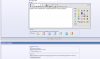
Mac OS/X 10.6.8, Firefox 7.0.1 - I click "Reply" and scroll down below the reply box, in frame Additional Options, Attach Files, and see a Manage Attachment button (see photo).
According to Nate above, tho, this must be because once upon a time, long long ago, I must have selected Advanced Reply somewhere.
Attachments
Tom-D
Taxi to Parking
- Joined
- Feb 23, 2005
- Messages
- 34,740
- Display Name
- Tom-D
Mac OS/X 10.6.8, Firefox 7.0.1 - I click "Reply" and scroll down below the reply box, in frame Additional Options, Attach Files, and see a Manage Attachment button (see photo).
According to Nate above, tho, this must be because once upon a time, long long ago, I must have selected Advanced Reply somewhere.
IOWs you need FireFox to get the "Manage Attachment" button?
Safari works OK
Everskyward
Experimenter
- Joined
- Mar 19, 2005
- Messages
- 33,464
- Display Name
- Everskyward
I have the "Manage Attachments" button and I use Safari.IOWs you need FireFox to get the "Manage Attachment" button?
Safari works OK
Everskyward
Experimenter
- Joined
- Mar 19, 2005
- Messages
- 33,464
- Display Name
- Everskyward
I just clicked the "Quote" button and got the "Manage Attachments" button. This is using Safari and Lion OS X 10.7.1clicking the "Post Reply" and the "Edit" button will get the "Manage Attachments" button. the "Quote will not.

I have the picture thing worked out, but now I must add a flash player to the IMac.
Which One ?
There is only one.
http://get.adobe.com/flashplayer/
When the day came that Tom is on a Mac.....it's getting cold down there....
Tom-D
Taxi to Parking
- Joined
- Feb 23, 2005
- Messages
- 34,740
- Display Name
- Tom-D
There is only one.
http://get.adobe.com/flashplayer/
When the day came that Tom is on a Mac.....it's getting cold down there....
I downloaded it, and can't get passed the license agreement, I can't see the "Agree" button..
looking and looking and still looking.

Anymouse
En-Route
- Joined
- Jul 30, 2007
- Messages
- 3,167
- Location
- Clinton, AR (Sometimes)
- Display Name
- Total Stud Bush Pilot
- Home Airfield
- 2A2
I downloaded it, and can't get passed the license agreement, I can't see the "Agree" button..
looking and looking and still looking.
Just going on memory here, but if you click continue, there should be a popup window where you can click to agree.
Tom-D
Taxi to Parking
- Joined
- Feb 23, 2005
- Messages
- 34,740
- Display Name
- Tom-D
Just going on memory here, but if you click continue, there should be a popup window where you can click to agree.
Finally found it, it's not very visible