
You are using an out of date browser. It may not display this or other websites correctly.
You should upgrade or use an alternative browser.
You should upgrade or use an alternative browser.
How to
- Thread starter Tom-D
- Start date


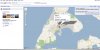
There's a share button and window that gives the URL. Control-A, Control-C in the window to COPY. Control-V to paste in your email.

gprellwitz
Touchdown! Greaser!
- Joined
- Jun 19, 2005
- Messages
- 12,799
- Location
- Romeoville, IL
- Display Name
- Grant Prellwitz
- Home Airfield
- 1C5
Or click the "Send" button with an envelope glyph (above the map to the right) and you can put in the text there. (Maybe that's what Mike meant by "share"?)

alaskaflyer
Final Approach
- Joined
- Feb 18, 2006
- Messages
- 7,544
- Location
- Smith Valley, Nevada
- Display Name
- Alaskaflyer
- Home Airfield
- KMEV
Tom,
I don't think they have enabled your ability to "embed" a map in a post here unlike on other web-boards (someone will be along soon to correct me if I'm wrong) but you can post a link in a post or email which will allow others to click on it and be taken to a Google Map of your choosing. Same with email, hard to embed for even better than average user.
In Google Maps set up the map exactly how you want it to be viewed by others, then click the word "link" at the top right hand corner of the map. A small window will open showing you the http link for that map. You can then copy it and paste it wherever. It also shows you the code to embed a map window in a post or email, but like I said I don't think that is functional in most email clients or at POA.
Examples: http://maps.google.com/maps?q=oak+h...633815&spn=0.012019,0.034504&t=p&z=15&iwloc=A
http://maps.google.com/maps?q=oak+h...122.621155&spn=0.096157,0.276031&z=12&iwloc=A
I don't think they have enabled your ability to "embed" a map in a post here unlike on other web-boards (someone will be along soon to correct me if I'm wrong) but you can post a link in a post or email which will allow others to click on it and be taken to a Google Map of your choosing. Same with email, hard to embed for even better than average user.
In Google Maps set up the map exactly how you want it to be viewed by others, then click the word "link" at the top right hand corner of the map. A small window will open showing you the http link for that map. You can then copy it and paste it wherever. It also shows you the code to embed a map window in a post or email, but like I said I don't think that is functional in most email clients or at POA.
Examples: http://maps.google.com/maps?q=oak+h...633815&spn=0.012019,0.034504&t=p&z=15&iwloc=A
http://maps.google.com/maps?q=oak+h...122.621155&spn=0.096157,0.276031&z=12&iwloc=A
Last edited:
Or click the "Send" button with an envelope glyph (above the map to the right) and you can put in the text there. (Maybe that's what Mike meant by "share"?)
Link Ctrl-A, Ctrl-C in the URL box. Ctrl-V to paste.
Attachments
Last edited: