Can't upload new avatar

judypilot

Cleared for Takeoff
PoA Platinum Member
Joined
Feb 23, 2005
Messages
1,153
Location
Viola, ID
Display Name
Judy Parrish
Home Airfield
WN26
My old avatar was pretty old. I've gotten grayer and fatter and my airplane has gotten prettier. So I deleted my old one and tried to upload a new one. It's 320 x 320. But it won't upload. I've tried several times.

 
And, yes, I tried clearing the cache and logging in again. Still didn't work. If you tell me it's a Safari problem, I'll scream because everything else works FINE on Safari.
 
Safari works for me. 320x320 should not be a problem. What format?
 
JPG. Just tried again and it still won't upload. It's only something like 30 kb, so should upload instantly, even on my relatively slow connection.

I click on the space where the image should be, and it gives me an option to upload, but when I choose the image and click "upload", nothing happens. I also can't figure out how to edit my home airport. There's no "edit" button anywhere in my profile that I can find.
 
Last edited:
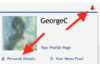
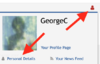
It's under "Personal Details":
personaldetails.png
 

Attachments

  • personaldetails.png
    personaldetails.png
    84.3 KB · Views: 2
I would try to help you out and test uploading a new avatar but I know in those few seconds someone will steal mine.
 
It's under "Personal Details":
View attachment 114567

I went to that page. I thought I changed my home airport, but now it's not showing at all. It's WN26. I also tried changing my avatar from that page, but it still didn't work. I sent you my avatar in email. Thanks for trying.
 
Back
Top